By silkek on August 22, 2025
Last updated on March 31, 2026
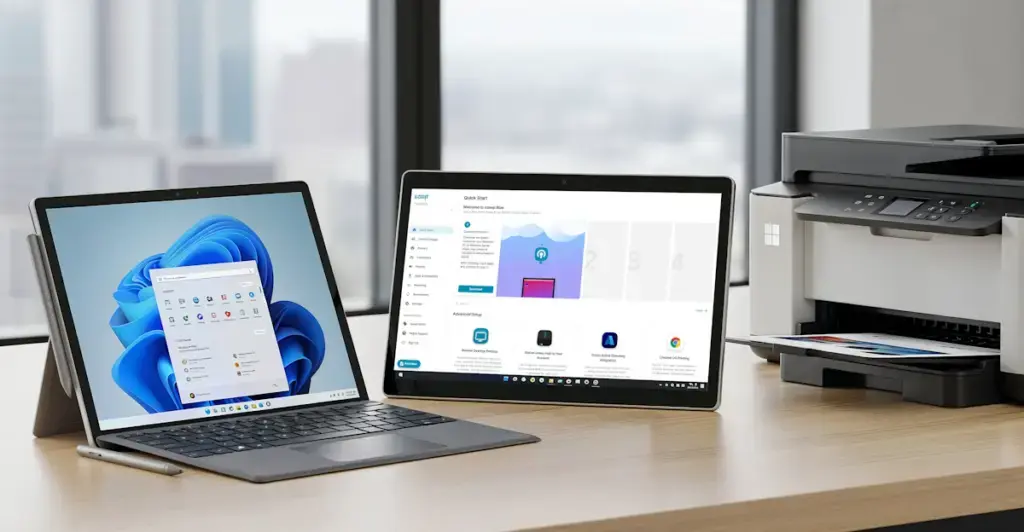
The new ezeep Print App makes Windows on ARM devices like Surface and Copilot+ PCs instantly ready to print. Forget about printer drivers; this solution ensures your advanced hardware can handle basic print tasks without hassle.

Why AI-first PCs are a Breakthrough
2025 marks a turning point with the rise of AI-first PCs, including Microsoft’s new Copilot+ line and the latest Surface devices. These machines use ARM processors, a chip design already proven in smartphones, now transforming laptops.
ARM processors offer significant advantages:
- Battery life that lasts all day
- Whisper-quiet, fanless operation
- Super-thin, lightweight designs
- AI features built directly into the hardware
These benefits make ARM-based devices highly attractive for mobile workers, IT leaders, and coworking members who value portability and efficiency.
The Printing Challenge with ARM Devices
Despite their advanced features, ARM-based laptops often struggle with a fundamental task: printing. The core issue is driver availability.
- Most printer manufacturers do not provide ARM-compatible drivers.
- Microsoft’s standard drivers offer limited support, covering only a small selection of printers and functionalities.
This creates a situation where advanced hardware is hindered by outdated printing infrastructure.
How ezeep Solves ARM Printing Issues
ezeep provides a straightforward solution for printing on ARM64 devices. Its Print App eliminates the need for local, device-specific drivers.
Instead of relying on drivers installed on the device, ezeep processes print jobs in the cloud using the original manufacturer drivers. This means your Surface, Copilot+ PC, or any other ARM-based laptop can print to any printer without compatibility concerns. This cloud-based approach also makes the solution future-proof; as new ARM generations emerge, printing will continue to function without interruption.
The Impact of Driver-Free Printing for ARM
For IT Teams
ARM adoption no longer faces the significant hurdle of printer compatibility. IT teams can deploy new devices with confidence, knowing printing will just work from day one.
For Coworking Operators
Members can print from any device, whether it's an Intel laptop, a Surface, or the latest Copilot+ PC. This flexibility enhances the user experience and reduces support requests.
For Employees
Employees avoid the frustration of troubleshooting printing issues. Their new laptops will simply print, allowing them to focus on productive work.
Printing Experiences: Before and After ezeep
Before ezeep
In a coworking space, a member with a new Copilot+ PC discovers they can't print. This leads to support calls, troubleshooting, and wasted time for both the user and IT staff.
After ezeep
The same member connects their device, sends a document to print, and continues their work without a second thought. Printing becomes a background process that just happens, without causing any disruption.
Conclusion
The widespread adoption of ARM-based Windows devices represents a significant shift in personal computing. These devices are lightweight, intelligent, and designed for the AI era.
However, the transition to this future should not be stalled by basic necessities like printing. With the ezeep Print App for ARM64, Surface and Copilot+ PCs are instantly ready for business – no drivers, no limits, and no headaches.
Windows 365 & ezeep: Cloud Printing for Remote Work
Printing with Windows 365 Boot and ezeep