By Charles Ian Pritchard on March 17, 2023
Last updated on March 31, 2026

Azure Virtual Desktop (AVD) offers a secure and flexible cloud-based environment for businesses. However, with growing cyber threats, protecting sensitive information and ensuring compliance in AVD environments is critical.
Zero Trust security principles are key to this protection. Zero Trust assumes no user, device, or service can be trusted by default. It continuously verifies and validates identities and access. Applying these principles to AVD prevents unauthorized access, boosting security and compliance.
Setting Up a Zero Trust Environment for Azure Virtual Desktop
Securing your Azure Virtual Desktop environment with Zero Trust principles ensures that only authenticated and authorized users and devices can access your resources, significantly improving your organization's overall security posture.
Secure Your Identities with Zero Trust
AVD supports various identities like Microsoft Entra ID and Active Directory Domain Services. Apply Zero Trust principles to these identities to ensure only authorized users access AVD. Create dedicated user accounts with least privileges for joining session hosts to Azure AD or AD DS during deployment.
Secure Your Endpoints with Zero Trust
Endpoints are entry points to the AVD environment. Apply Zero Trust by using Microsoft Defender for Endpoint and Microsoft Endpoint Manager to enforce security policies and compliance requirements on devices and virtual machines.
Azure Virtual Desktop Storage Resources
AVD stores data at rest, in transit, and in use. Implement Zero Trust principles for AVD storage resources to secure data, verify users, and control access with least privileges. Using private endpoints for storage accounts and separating critical data with network controls further protects your data.
Hub and Spoke Azure Virtual Desktop VNets
A hub and spoke architecture provides central connectivity for multiple virtual networks. Implement Zero Trust through these VNets to filter outbound traffic from session hosts and isolate different host pools on separate VNets using Network Security Groups (NSG).

Azure Virtual Desktop Session Hosts
Session hosts are virtual machines within a spoke VNet. Apply Zero Trust principles to these VMs by creating separate organizational units (OUs) if managed by group policies on AD DS, and use Microsoft Defender for Endpoint for VDI devices.
Deploy Security, Governance, and Compliance to Azure Virtual Desktop
AVD includes advanced security features. Businesses should improve their security by implementing AVD security practices, Azure security baselines, and adhering to key design considerations for security, governance, and compliance in Azure Virtual Desktop landing zones.
Deploy Secure Management and Monitoring to Azure Virtual Desktop
Continuous management and monitoring ensure the AVD environment is secure. Azure Virtual Desktop Insights helps log diagnostic and usage data. Microsoft Intune and RDP Properties assist in managing and setting granular policies for AVD.
Zero Trust Printing with ezeep and the ezeep Hub
Enhance AVD security by applying Zero Trust principles to your printing infrastructure.
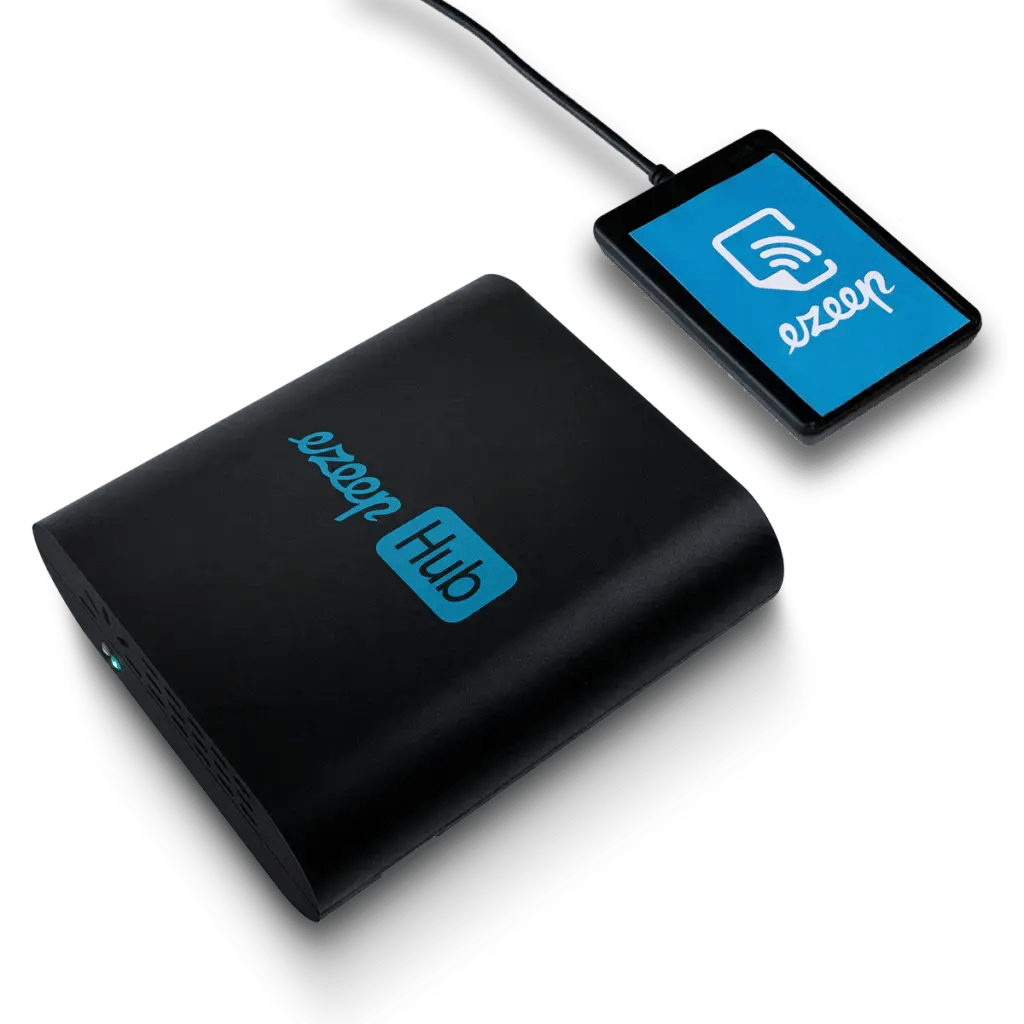
Like other endpoints, access to printers must be authorized and checked. A dedicated printing service, like ezeep, helps here. The ezeep Hub, a small hardware appliance, creates a secure connection between the cloud and printers using the Azure IoT service. Constant authorization and authentication ensure secure access to printers.
ezeep further enhances security by encrypting print data. The Hub connects to the ezeep Cloud via outbound HTTPS (port 443) with TLS 1.2 or higher. The cloud service integrates fully with Azure AD and is managed via a web portal. Since no printer drivers are needed on virtual desktops or end devices, ezeep greatly reduces administration for AVD printing. After creating an ezeep account, you only need to install an agent on the machine. Card readers can also connect to the Hub for additional printer authentication.
Learn more about Zero Trust for Azure infrastructure here: https://learn.microsoft.com/en-us/security/zero-trust/azure-infrastructure-avd
Whitepaper on Zero Trust Printing
This document shows how to improve security in your print environment and discusses the advantages of Zero Trust.
Enhance your Azure Virtual Desktop security posture today by implementing reliable Zero Trust principles across your environment, including printing. Explore ezeep for simple, secure print management.

Printing in Zero Trust Networks
Azure Virtual Desktop: Use Cases, Tech, and Tips