By Charles Ian Pritchard on September 19, 2022
Last updated on March 31, 2026
Managing print server infrastructure with traditional solutions has become difficult for many businesses, especially given recent security vulnerabilities. The good news is that modern cloud printing software offers a reliable and secure alternative, simplifying IT operations and enhancing control.
Why Traditional Print Servers Are Problematic for IT
While Windows print servers are easy to set up, they are often hard to maintain. Users frequently open helpdesk tickets for minor printing issues, creating an unnecessary burden on IT departments.
Adding to these challenges, the PrintNightmare vulnerability (CVE-2021-34527), discovered in July 2021, allowed hackers to execute error code on Windows desktop and server systems. This enabled attackers to install software, access data, and interfere with user account creation.
Even though time has passed, Microsoft continues to address this issue with ongoing updates. Some updates require administrator rights to install or update printer drivers. For organizations with many printers across multiple locations, PrintNightmare patches made an already complex administration even more cumbersome.
How Cloud Printing Software Simplifies IT Operations
Cloud-based printing enhances IT's insight into user printing issues. It also gives users more control over their print jobs and provides companies a clear overview of printing costs through better analysis possibilities.
Unlike other cloud printing vendors that offer individual enhancements to classic Windows print servers, ezeep provides an all-in-one solution that can eliminate the need for print servers entirely.
Replace Print Servers with the ezeep Hub Appliance
The ezeep Hub is a tiny appliance designed for enterprise demand. It connects any printer to the cloud instantly and replaces local Windows print servers inexpensively.
The ezeep Hub helps you avoid the high acquisition, operation, and maintenance costs associated with traditional print servers. This significantly reduces the workload on IT staff. With just a few clicks, you can create and centrally manage printers and users in its intuitive web portal.
Driverless Printing with ezeep
A key feature of the ezeep Hub is its cloud rendering of all print jobs. With a pool of over 6,000 printer drivers hosted in the cloud, ezeep creates a 100% driver-free infrastructure for devices. This gives you the freedom to choose any printer or device for your organization.
The print infrastructure's vulnerability is reduced because ezeep ensures no printers are accessible directly from the internet, using only one port for secure communication. For zero-trust strategies, ezeep is essential. It guarantees that access to a printer is always authorized and authenticated. The ezeep Hub, the ezeep Cloud, and our Secure Pull Printing process ensure constant authorization and authentication for access to data points. Network printers become addressable without needing to connect them to another physical device or network.
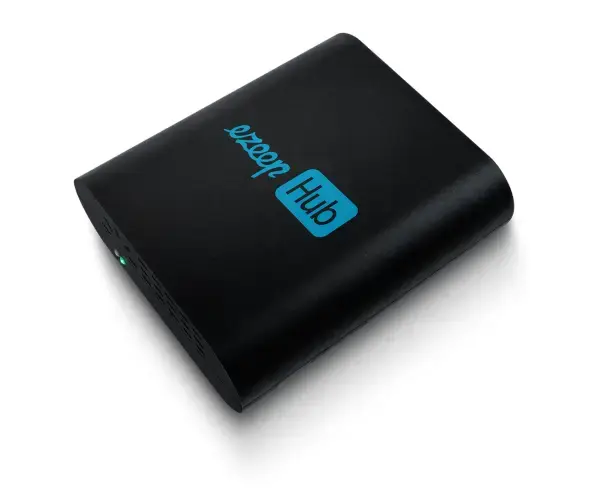
The ezeep Hub
Find more information on pricing and how to test an ezeep Hub here!
Stop Printing Frustrations: Get Reliable Print Outs
Reduce IT Printing Costs