
By Charles Ian Pritchard on Jul 30, 2024 2:00:00 AM
ezeep Now Supports Lexmark Printers, Offering More Efficient and Convenient Print Capabilities
We are very excited to announce a new and powerful integration for Lexmark printers. This integration will let you more accurately monitor printer activity while enhancing security in your organization.
The ezeep Integration for Lexmark
The ezeep App is a comprehensive integration that includes enhanced copy tracking and security features into a single integration.
The ezeep App is available to download in the Admin Portal and is simply installed on the Lexmark printer, which must be connected to the ezeep cloud via an ezeep Hub or our connector software for print servers. The app is compatible with all modern Lexmark printers, and you can find the complete list in our Knowledge Base. Let's start with its improved tracking features
Copy Tracking with Lexmark Printers
ezeep allows you to easily track all printed jobs in the admin portal. Once this feature of the ezeep App, which is not enabled by default, is activated on the Lexmark printer, it ensures that copying is also tracked in the ezeep admin portal.
It works like this: After the app is installed, the admin can activate the copy tracking setting in the configuration section of the app. Then, when a user wants to photocopy a document, a quick swipe of their ID card or PIN entry is needed to authenticate and to activate copying. After that, all copied pages are logged in the ezeep Admin Portal, offering reliable control over copy costs and usage. ezeep admins can easily generate reports and can identify how many copies each user makes, a very handy feature for universities, coworking spaces and other use cases where you may want to track copying from guests and employees.
Pull Printing with Lexmark Printers
Let’s take a look at the added value of pull printing. Via a straightforward user workflow, the ezeep App ensures that documents are only printed after the user authenticates at the printer, protecting confidential data from lingering in the printer tray and reducing wasted resources.
Now, the app gives you more authentication possibilities and gives you a quicker ROI too. The native integration means you do not need to purchase external card-readers if a card reader is already integrated into the printer or if you want to use a PIN-based authentication workflow.
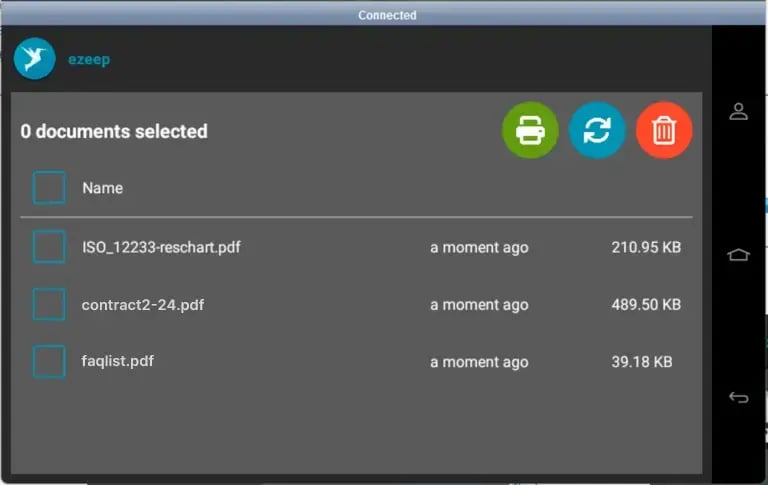
What’s more, all queued print jobs are displayed on the printer, giving users a clear overview of the print jobs they would like to release.
Advantages at a Glance:
- User-Friendly: View and manage print jobs directly on the printer display, enhancing user experience.
- Cost Control: Track copying activities and reduce wasted resources effectively.
- Compliance: Prevent documents with sensitive information from being left in the printer tray.
Get Started Today
Take advantage of this new feature today to optimize your printing operations and improve security. Visit our Knowledge Base for more information and installation instructions.
ezeep Now Available in the Microsoft Azure Marketplace
No Comments Yet
Let us know what you think