Cloud Printing for Azure Virtual Desktop Without Print Servers

Azure Virtual Desktop makes desktops flexible and scalable, but printing shouldn't mean juggling multiple print paths, drivers, or workarounds. ezeep replaces print servers with cloud printing that works across AVD sessions, local printers, and any device.

Start Free Trial TodayTalk to an Expert
15475 (1)
AVD Problems

Why Printing in Azure Virtual Desktop Gets Complicated

Microsoft offers several ways to print from AVD. Combining them creates more problems than it solves.

Remote and Hybrid Users Get the Worst Experience

GPO-based printer mapping breaks across locations. VPN-dependent setups fail when users work from home or branch offices. Device types vary from thin clients to Macs to phones, and each one behaves differently with AVD's built-in printing options.

How ezeep Makes It Work

One Printing Experience Across All AVD Sessions and Devices

Drop the Print Servers Entirely

The ezeep Hub replaces print servers in your AVD environment, removing VPNs and driver management from the equation.

It connects your network printers to the cloud securely, so every printer is accessible from any AVD session without hardware costs, licensing, or maintenance windows.

scale-grow

Keep Session Hosts Driver-Free

Stop installing and maintaining printer drivers on session hosts and golden images. ezeep handles all rendering in the cloud, so your AVD environment stays clean, performant, and free of driver conflicts.

Golden image updates no longer mean testing and repackaging printer drivers.

ezeep-money-time

Right Printers, Every Session, Automatically

With AnyPrinter, users get a single intelligent printer queue that always routes to the right device, eliminating long printer lists and wrong printer selection entirely.

Printer Profiles let IT pre-set defaults like duplex, color, and tray selection per user or group, saving time and reducing errors. No manual configuration, no help desk calls.
safe

Print to Home, Office, and Mobile

From their AVD session, users can print directly to local printers at home or in the office, whether they're using Windows, Mac, Chromebook, thin client, or web client devices. ezeep also supports iOS, iPadOS, and Android for mobile printing.

Off-network printing means users don't need to be connected to the corporate network to reach their printers.

works

Keep Sensitive Documents Controlled

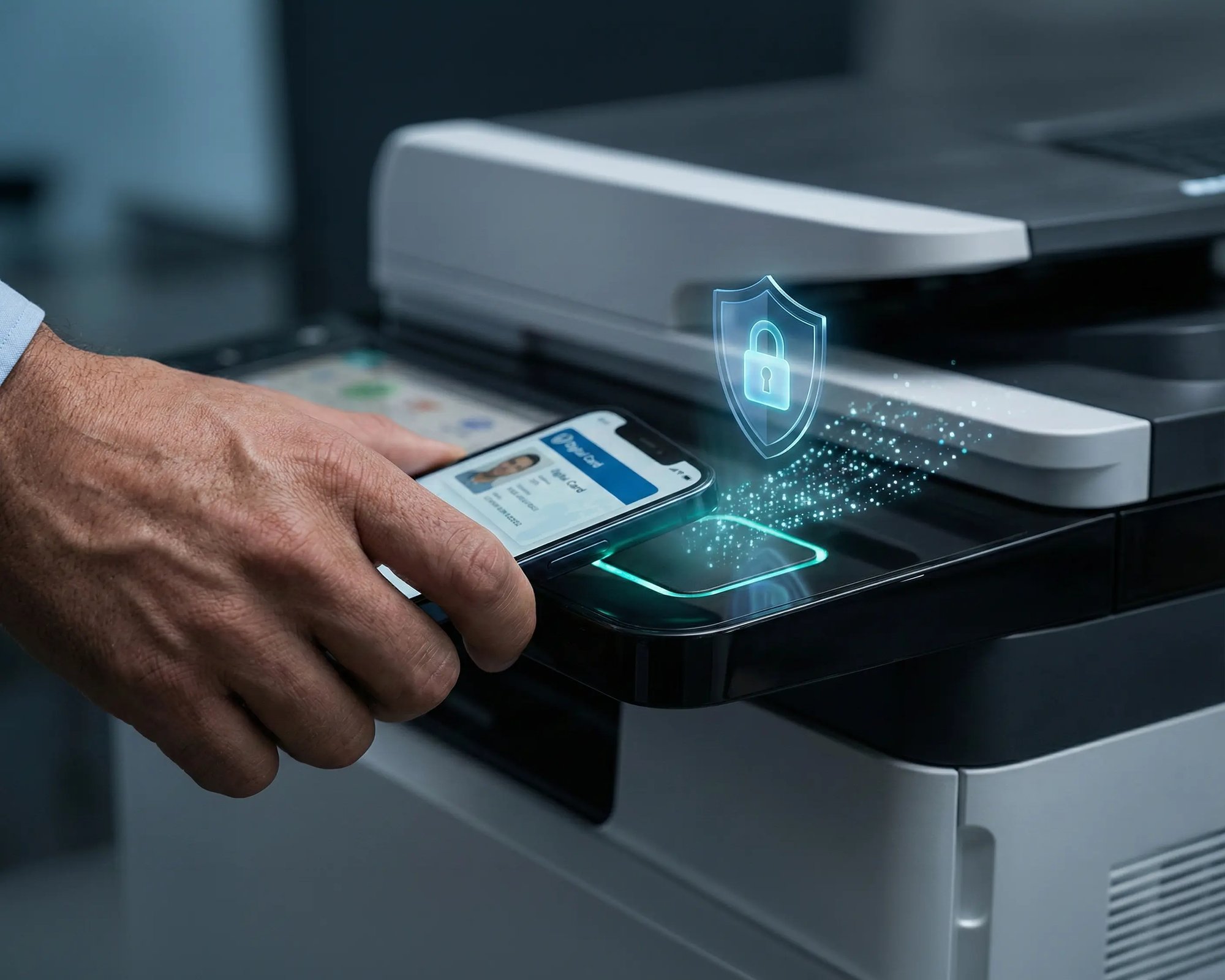
Pull Printing holds jobs until the user authenticates at the device with their smartphone or ID card.

Unclaimed pages on a shared tray are a compliance risk. Nothing prints until someone is standing there to collect it.

works

Less Infrastructure. More Calm.

Move campus printing to the cloud and reduce the day-to-day maintenance burden. Have fewer patches, fewer queue mysteries, and fewer "it broke overnight" surprises.

Server-Free
Centralized
Less Upkeep

One Experience Across Campus

Support the real education device mix - Chromebooks, MacBooks, Windows laptops, tablets, and phones - across libraries, labs, dorms, and shared printers without special steps per department or "this printer only works on that OS."

Campus-Wide
Cross-Platform
User-Friendly

Permissions That Actually Make Sense

Tie printer visibility and access to identity and groups, so students, staff, faculty, and researchers see the right printers by role, building, and department - all without constant manual adjustments.

Role-Based
Location-Aware
Consistent

Temporary Access, Without Temporary Chaos

Support guest lecturers, visiting scholars, events, and short-term programs with controlled access that doesn't create recurring IT work or one-off setups.

Temporary Access
Controlled
Low Effort

Confidential Pages Stay With The Right Person

Reduce tray exposure in busy shared spaces. Pull Printing helps ensure jobs only release when the user authenticates at the printer with their school ID, helping protect exams, registrar documents, and sensitive student records.

Private Release
Less Mix-Ups
Auditable

Visibility Finance Can Actually Use

Understand usage across departments and locations, support quotas and accountability, and make it easier for busier and finance teams to track print spend without turning IT into the print police. 

Measurable
Accountable
Budget-Friendly

Cost Recovery Without The Busywork

For campuses that charge students to print, ezeepCampus adds Self-Join onboarding and credit-based printing, so students and staff can self-serve while your institution keeps pricing and access under control.

Self-Join
Credit-Based
Accountable
Azure Printing Compared

How AVD Printing Options Compare

Azure offers multiple ways to print, but mixing them creates more complexity than clarity. Here's how the three most common approaches stack up.
Default Azure Printing
Universal Print
ezeep
Requires
VPN connectivity and network proximity to printers
Print server or UP-ready printers, Entra ID-joined endpoints, additional licenses, internet-accessible printers
ezeep Hub or ezeep Connector
Print Properties
Limited to portrait/landscape through local redirection
Limited by printer compatibility
Full print properties and finishing options with every printer
Printer Compatibility
Only printers reachable via VPN
Requires UP-compatible hardware or a connector
Works with virtually any network or USB printer
Remote/Hybrid Support
Requires VPN, breaks across locations
No local printer redirection or automatic mapping
Users print from home, office, or branch with no VPN
Infrastructure
Ongoing VPN costs and GPO-based mapping
Local servers with maintenance and power costs
No print servers
Print Paths
One path, VPN-dependent
Creates a second path alongside default setup
One consistent path for all printers and locations

One platform. One printing experience. No parallel setups to explain or maintain.

Coworking hero

Identity-Based Printing with Microsoft Entra ID

ezeep integrates directly with Microsoft Entra ID, allowing IT to sync users and groups with a single click and assign printers without recreating organizational structures or managing GPO-based policies.

Once users sign in with their Entra ID account, corporate printers appear instantly in every AVD session, no network connection to the office required. Microsoft 365 users can also print directly from Outlook, Word, and Excel without local drivers or printer setup.


Security, Visibility & Control

Enterprise Security Without Extra Complexity

AVD environments need printing controls that fit modern security models, plus the visibility to back up decisions with data.

Faster for Users. Simpler for IT.

Print data compression delivers up to 5x faster speeds compared to standard AVD printer redirection. A self-service portal lets users add printers themselves without IT tickets.

The ezeep Hub typically pays for itself within three to four months through reduced support and infrastructure costs. As your AVD environment scales to thousands of sessions, ezeep grows with it without reintroducing print servers.

ezeep-campus
Who Solution is For

Who Benefits Most from Cloud Printing with AVD

Built for organizations running Azure Virtual Desktop as part of their virtual desktop or cloud workspace strategy.

Enterprise AVD Deployments

Centralize print management across thousands of sessions without server sprawl or maintaining parallel print paths.

Hybrid and Remote Workforces

Deliver consistent printing whether users connect from HQ, home offices, or distributed branch locations. No VPNs, no network dependencies.

Organizations Replacing Print Servers

Eliminate legacy print servers, GPO-based printer mapping, and driver management overhead by moving to cloud-native printing.

IT Teams with Mixed Environments

Support AVD alongside physical Windows, Mac, and mobile endpoints from one console. No separate print setups per environment.

How It Works

How AVD Printing Works with ezeep

No print servers. No driver pools. No location dependency.
scale-grow
1

Users Print from Azure Virtual Desktop

Users work in their AVD session and send print jobs to the ezeep Cloud. No local drivers or print servers needed. Virtual desktops stay clean and performant.

eco
2

Cloud Rendering and Routing

ezeep handles all driver management and rendering centrally, then routes jobs to the correct printer based on user identity and location. Everything happens automatically.

15475 (1)
3

Secure Release at the Device

Documents arrive at the assigned printer instantly, or users authenticate via smartphone or ID card for Pull Printing. Confidential documents never sit unattended.

Related Documents

Learn More About AVD Printing

Frequently Asked Questions

How does ezeep handle printing in Azure Virtual Desktop?

ezeep replaces print servers and local drivers with cloud-based printing built for AVD. Print jobs are rendered centrally and routed to the correct printer automatically, giving users one consistent experience across sessions, locations, and devices.

Can AVD users print to local printers at home?

Yes. Users can print from their AVD session to locally connected printers with full print properties, even when working remotely. This includes thin client and web client access. Mobile printing from iOS and Android is also supported through the ezeep app.

How does ezeep compare to Universal Print for AVD?

Universal Print requires compatible printers or a local print server, Entra ID-joined endpoints, and additional licensing. ezeep works with virtually any printer through the ezeep Hub, provides one consistent print path across all environments, and doesn't require printers to be internet-accessible.

Do I need drivers on session hosts or golden images?

No. ezeep handles all rendering and driver management in the cloud, so session hosts and golden images stay completely driver-free. This eliminates driver conflicts, reduces image size, speeds up logins, and removes the primary cause of print spooler crashes in AVD environments.

Does ezeep replace GPO-based printer mapping?

Yes. ezeep replaces GPO and Intune-based printer policies with cloud-based assignment rules managed from a single web console. Printers are mapped automatically based on user identity, location, or group, eliminating complex policy management and the troubleshooting it creates.

Back to top

Ready to Simplify Printing in Azure Virtual Desktop?

Replace fragmented print paths with one cloud platform that works across every AVD session, device, and location.

ezeep-chart (1)