Cloud Print from Any Chromebook to Any Printer

ezeep delivers enterprise-grade Chrome printing management for Chromebooks and Chrome browsers. Print to any printer from ChromeOS devices with centralized IT control and zero local configuration.

Start Free Trial TodayTalk to an Expert
15475 (1)
Chrome Printing Problems

Why Chrome Printing Still Frustrates IT Teams

Chromebooks are everywhere. Centralized print management for ChromeOS is not.

Google Cloud Print Is Gone, and Nothing Replaced It

Google discontinued Cloud Print in 2020 and never shipped a built-in replacement for managed Chromebook environments. Organizations still running workarounds need a purpose-built alternative.

How ezeep Makes It Work

A Cloud-Based Way to Print from Chrome

Zero-Configuration Chrome Printing for End Users

Give your users a seamless printing experience on ChromeOS. ezeep automatically adds assigned printers to the native Chrome print dialog with all IT-configured settings.

Users print immediately with zero setup, saving IT time and headaches.

scale-grow

Centralized Chromebook Print Management for IT

Manage all printers and user permissions from a single web portal. Changes push to ChromeOS devices instantly for consistent policy enforcement across your entire fleet.

No need to touch individual Chromebooks or manage local configurations.

ezeep-money-time

Full Printer Compatibility with No Restrictions

ezeep works with every printer in your fleet - not just cloud-ready models.

Connect any legacy network printer to your ChromeOS printing environment through the ezeep Hub and extend the life of your existing hardware without workarounds.
safe

Secure Pull Printing for ChromeOS Devices

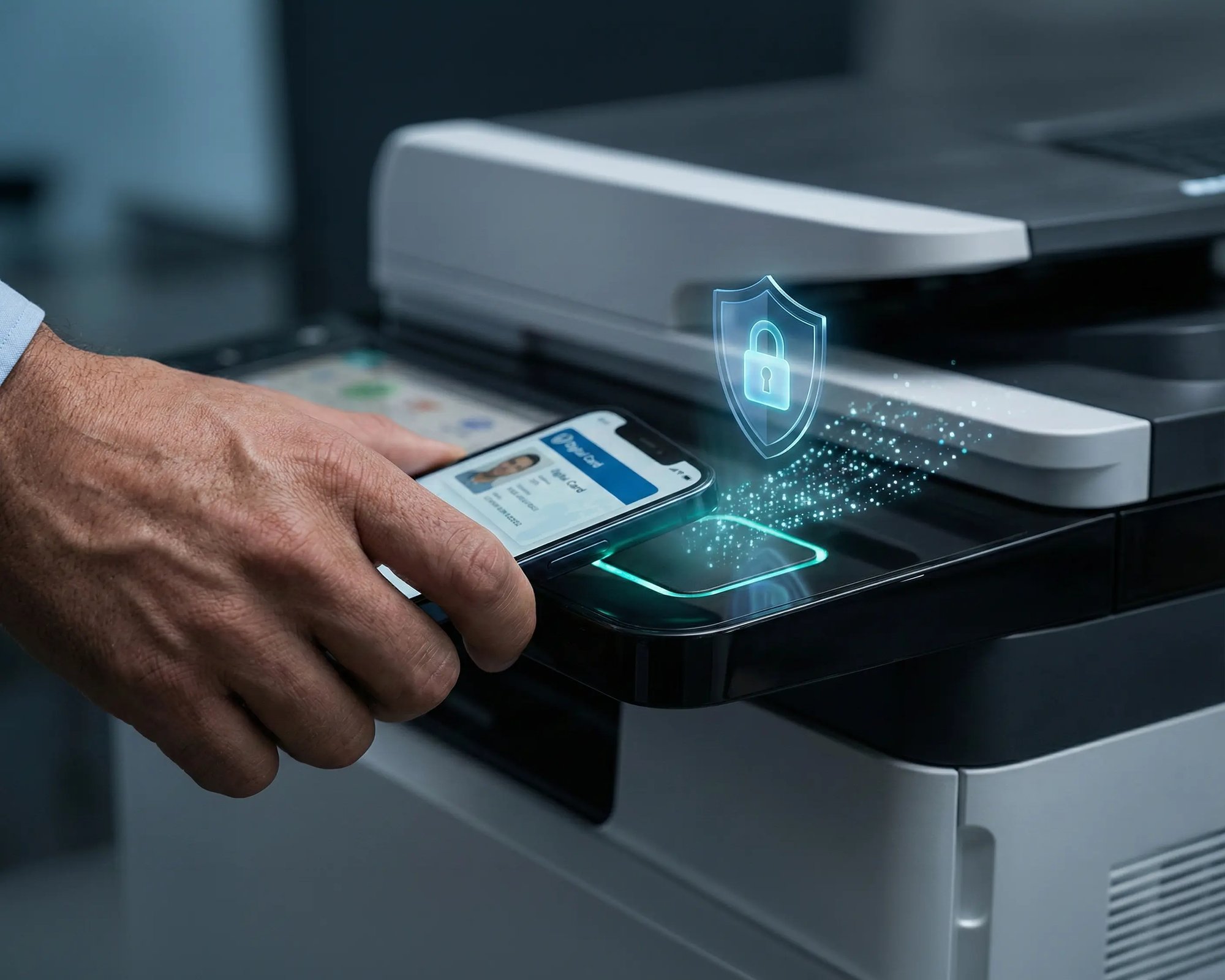
Bring Zero Trust security and cost control to ChromeOS printing. Pull Printing holds documents in a secure queue until the user authenticates at the printer via smartphone or ID card.

This eliminates sensitive documents being left in output trays and cuts paper waste.

works

Less Infrastructure. More Calm.

Move campus printing to the cloud and reduce the day-to-day maintenance burden. Have fewer patches, fewer queue mysteries, and fewer "it broke overnight" surprises.

Server-Free
Centralized
Less Upkeep

One Experience Across Campus

Support the real education device mix - Chromebooks, MacBooks, Windows laptops, tablets, and phones - across libraries, labs, dorms, and shared printers without special steps per department or "this printer only works on that OS."

Campus-Wide
Cross-Platform
User-Friendly

Permissions That Actually Make Sense

Tie printer visibility and access to identity and groups, so students, staff, faculty, and researchers see the right printers by role, building, and department - all without constant manual adjustments.

Role-Based
Location-Aware
Consistent

Temporary Access, Without Temporary Chaos

Support guest lecturers, visiting scholars, events, and short-term programs with controlled access that doesn't create recurring IT work or one-off setups.

Temporary Access
Controlled
Low Effort

Confidential Pages Stay With The Right Person

Reduce tray exposure in busy shared spaces. Pull Printing helps ensure jobs only release when the user authenticates at the printer with their school ID, helping protect exams, registrar documents, and sensitive student records.

Private Release
Less Mix-Ups
Auditable

Visibility Finance Can Actually Use

Understand usage across departments and locations, support quotas and accountability, and make it easier for busier and finance teams to track print spend without turning IT into the print police. 

Measurable
Accountable
Budget-Friendly

Cost Recovery Without The Busywork

For campuses that charge students to print, ezeepCampus adds Self-Join onboarding and credit-based printing, so students and staff can self-serve while your institution keeps pricing and access under control.

Self-Join
Credit-Based
Accountable
Coworking hero

Chromebook Print Management That’s Easy for Users & Controlled for IT.

Users print directly from the Chrome print dialog, with no new workflows to learn.

Admins configure printers through policies, making even complex environments manageable without local infrastructure.

Start Free Trial

Who Solution is For

Who Benefits Most from ezeep’s ChromeOS Printing Solution

This Chrome printing solution is ideal for schools, enterprises, and distributed teams that need centralized control over Chrome printing.
How It Works

How to Print from Chromebook to Any Printer with ezeep

No drivers, no print servers, no printer restrictions. Three steps from install to output.
scale-grow
1

Deploy the Chrome Extension

IT pushes the ezeep extension through Chrome Enterprise Console or MDM for zero-touch installation. Users sign in once and assigned printers appear automatically in the native Chrome print dialog - no manual configuration per device.

eco
2

Print from the Native Chrome Dialog

Users select a printer and print like they normally would. Printer settings, defaults, and restrictions are pre-configured by IT and enforced consistently across the fleet.

15475 (1)
3

Cloud Routing and Secure Release

Print jobs route through the ezeep Cloud to the correct printer, even across sites and networks. Optional Pull Printing holds jobs until the user authenticates at the device, keeping documents private and giving IT a full audit trail.


Built for Chrome Enterprise Environments

ezeep is designed for organizations running Chrome devices at scale. Deploy the Chrome extension through your Chrome Enterprise Console or MDM solution for zero-touch installation. All printer assignments and policies push instantly from a central admin portal.

Integrates seamlessly with:

  • Google Workspace (Docs, Sheets, Drive)
  • Microsoft 365 (Office Online)
  • Chrome Enterprise Console
  • Active Directory / Entra ID
  • Popular MDM platforms

This Chrome printing solution fits directly into your existing infrastructure without requiring new authentication systems or network reconfigurations.

ezeep-campus
Related Content

Learn More About Chrome Printing

Frequently Asked Questions

How does ezeep support printing from Chromebooks and Chrome browsers?

ezeep uses a Chrome extension to connect Chrome devices to a centrally managed print environment in the cloud. Once installed, users sign in with their ezeep account and assigned printers appear automatically in the native Chrome print dialog. IT admins control all printer access, settings, and policies from a web-based portal without touching individual devices.

Do Chromebooks need to be on the same network as the printer?

No. Chromebooks can print from separate networks, making this solution ideal for guest printing and BYOD scenarios. The print job routes securely through the ezeep Cloud to reach the printer, so users don't need VPN access or network credentials. This works whether printing from home, a coffee shop, or a different office location.

Is ezeep a replacement for Google Cloud Print?

Yes. ezeep is a complete Google Cloud Print alternative that supports all printer models and provides centralized management. Unlike Google Cloud Print, ezeep works with over 10,000 printer models including legacy network printers, USB printers, and multifunction devices from HP, Canon, Epson, Brother, Xerox, and Ricoh. You can migrate without replacing existing hardware.

Can admins control printer access and print volume?

Yes. IT administrators assign printers and configure default settings through user group policies. You can restrict color printing, enforce duplex mode, set page limits, and generate detailed usage reports. All changes apply instantly across your Chromebook fleet without requiring user intervention or device restarts.

How much does Chrome printing with ezeep cost?

ezeep offers a free plan for up to 10 users with Chrome printing included. The free plan includes the Chrome extension, basic printer management, and access to our cloud infrastructure. Paid plans add features like Pull Printing, advanced reporting, priority support, and higher user limits with volume discounts for education and enterprise.

Back to top

Ready to Bring Print Management Under Control?

Support Chromebooks and Chrome browsers with a Chrome printing solution that doesn’t limit printer choice or lose visibility.

ezeep-chart (1)