Enterprise Apple Printing Solution for Mixed Windows Environments

Unify macOS, iOS, iPadOS, and Windows in one centrally managed print infrastructure - without driver packaging, print servers, or AirPrint constraints.

Start Free Trial TodayTalk to an Expert
15475 (1)
Apple Printing Problems

Why Apple Device Printing Shouldn't Be a Separate IT Challenge

MacBooks, iPhones, and iPads are often a minority in Windows-dominated environments, but they introduce compatibility challenges that fragment your print infrastructure.

Apple Devices Become Exceptions in Your Print Environment

Windows printing goes through Group Policy and print servers. Mac and iOS printing goes through something else entirely. Two parallel systems, two sets of troubleshooting steps, and no single console that covers both.

How ezeep Makes It Easy

One Cloud Print System for All Devices

ezeep unifies Windows, macOS, iOS, and iPadOS into one centrally managed cloud print environment. No separate drivers, no AirPrint islands, no parallel workflows - Apple devices integrate seamlessly into your infrastructure instead of existing as exceptions.

Driver-Free Mac Printing Software

Eliminate macOS driver packaging and lifecycle testing. Users print through the signed, notarized ezeep app without traditional drivers or admin rights.

Mac devices integrate cleanly into the same printer environment as Windows - no parallel systems required.

scale-grow

Enterprise Mobile Printing Management for iPhone and iPad

Move beyond AirPrint limitations. ezeep enables iOS and iPadOS devices to print across segmented networks with secure authentication and central audit visibility.

iPhones and iPads operate within the same managed print environment as Windows and macOS devices.

ezeep-money-time

Print From Your Apple Device, Anywhere

Apple users print from the office, home, or remotely without VPN-dependent printer access.

Print jobs route securely based on user identity and policy through cloud infrastructure, not network location or hardware porximity.
safe

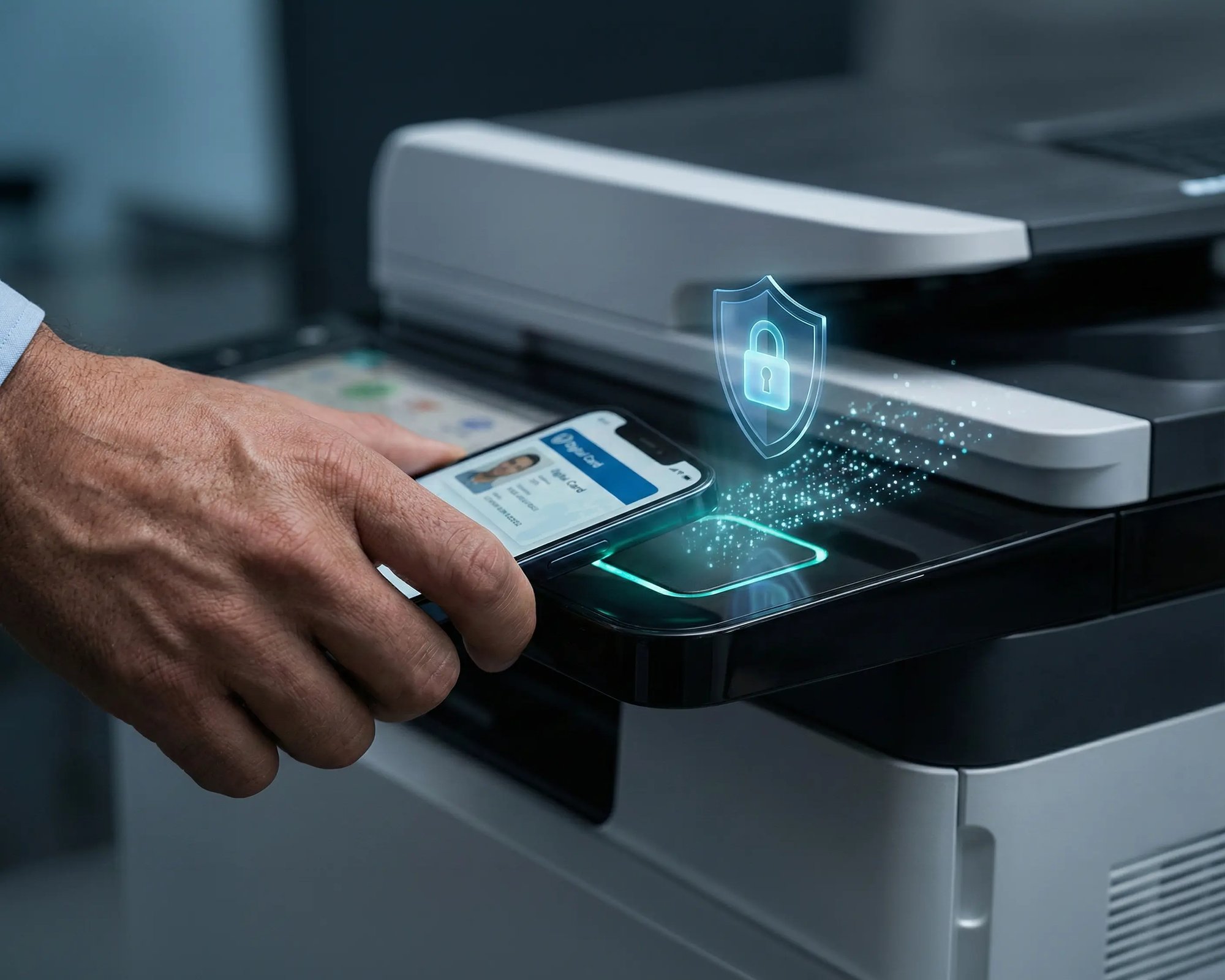
Secure Pull Printing for Mac, iOS & iPadOS

Protect sensitive documents with identity-based job release.

Users authenticate at the printer using badge, PIN, or mobile before output is released, preventing unattended documents and ensuring consistent audit visibility across all platforms.


works

Less Infrastructure. More Calm.

Move campus printing to the cloud and reduce the day-to-day maintenance burden. Have fewer patches, fewer queue mysteries, and fewer "it broke overnight" surprises.

Server-Free
Centralized
Less Upkeep

One Experience Across Campus

Support the real education device mix - Chromebooks, MacBooks, Windows laptops, tablets, and phones - across libraries, labs, dorms, and shared printers without special steps per department or "this printer only works on that OS."

Campus-Wide
Cross-Platform
User-Friendly

Permissions That Actually Make Sense

Tie printer visibility and access to identity and groups, so students, staff, faculty, and researchers see the right printers by role, building, and department - all without constant manual adjustments.

Role-Based
Location-Aware
Consistent

Temporary Access, Without Temporary Chaos

Support guest lecturers, visiting scholars, events, and short-term programs with controlled access that doesn't create recurring IT work or one-off setups.

Temporary Access
Controlled
Low Effort

Confidential Pages Stay With The Right Person

Reduce tray exposure in busy shared spaces. Pull Printing helps ensure jobs only release when the user authenticates at the printer with their school ID, helping protect exams, registrar documents, and sensitive student records.

Private Release
Less Mix-Ups
Auditable

Visibility Finance Can Actually Use

Understand usage across departments and locations, support quotas and accountability, and make it easier for busier and finance teams to track print spend without turning IT into the print police. 

Measurable
Accountable
Budget-Friendly

Cost Recovery Without The Busywork

For campuses that charge students to print, ezeepCampus adds Self-Join onboarding and credit-based printing, so students and staff can self-serve while your institution keeps pricing and access under control.

Self-Join
Credit-Based
Accountable
Coworking hero

Familiar for Users. Centralized for IT.

Mac users print through a clean, predictable workflow. iPhone and iPad users print without relying on AirPrint discovery.

For IT: centralized cloud printer management with identity-based authentication via Microsoft Entra ID or Google. No driver packaging, no print servers, no separate Apple vs Windows policies. Mixed-device environments become predictable and easier to support.

Start Free Trial

Who Solution is For

Who Benefits from ezeep’s Cross-Platform Apple Printing Solution

Designed for organizations running mixed Windows and Apple environments.
How It Works

Centralized Print Management Control. Identity-Based Access. No Print Servers.

One infrastructure across macOS, iOS, iPadOS, and Windows devices.
scale-grow
1

Print from macOS, iOS, iPadOS, or Windows

Users print using the ezeep app without manual driver packaging, print server dependencies, or platform-specific configurations.

eco
2

Central Processing

Print jobs are securely transmitted and handled within the ezeep Cloud platform, eliminating on-prem print servers and OS-specific driver conflicts.

15475 (1)
3

Deliver and Release Securely

Jobs are routed based on identity and policy. Optional Pull Printing ensures documents are released only after authentication at the device.


Native Apps Built for macOS, iOS, and iPadOS

The ezeep macOS and iOS/iPadOS printing apps are designed to integrate into modern enterprise environments with configuration complexity.

  • Signed and notarized macOS application
  • Compatible with Apple silicon
  • Identity-based login via Microsoft Entra ID or Google
  • Consistent user experience across Apple and Windows devices

Users can sign in once and print from multiple Apple and Windows devices within the same managed environment.

ezeep-campus
Related Content

Learn More About Apple Printing

Frequently Asked Questions

How does ezeep support printing on macOS, iOS, and iPadOS?

ezeep uses native applications and cloud-based processing to remove the need for print servers, driver management, and AirPrint dependency across all Apple devices.

Do Apple devices need to be on the same network as the printer?

No. Devices can print across networks without relying on local discovery.

How does this differ from AirPrint?

AirPrint requires network proximity and compatible printers. ezeep enables centralized management, cross-network printing, and identity-based access.

Can Apple and Windows users access the same printers?

Yes. All supported platforms operate within the same centrally managed print infrastructure.

Which identity providers are supported for Apple device authentication?

Microsoft Entra ID (Azure AD) and Google Workspace for seamless single sign-on across all devices.

Back to top

Your Windows Fleet Deserves Cloud-Native Printing

Replace drivers, print servers, and GPO complexity with one cloud platform for every Windows device, virtual desktop, and backend system.

ezeep-chart (1)