By Charles Ian Pritchard on October 25, 2023
Last updated on March 31, 2026

Label printing is essential across many industries, from logistics to healthcare, but it often comes with challenges. Whether you need to connect a label printer to a laptop for warehouse operations or print a Shopify label on a Zebra or Dymo printer, issues can arise. ezeep helps overcome these common problems, making label printing smooth and reliable for any business.
Label printing is an indispensable cross-industry operation, playing a pivotal role in many workflows. In logistics and shipment management, it is used to mark parcels, create freight documents, and ensure the smooth transport of goods. In healthcare, label printing is essential for labeling medication packaging, identifying patient records, and tracking medicines.
The Printer Driver Conundrum in Label Printing – Customizing Your Label
Many printing offerings rely on PDF conversion for label printing, often lacking specific settings for optimal output. This can lead to labels not appearing as intended. ezeep addresses this by supporting either virtual or native printer drivers, giving you full control over your label output.
Using original printer drivers from manufacturers, ezeep accounts for all the nuances of label printers and specific paper formats. This ensures labels are printed with high precision and desired quality. All printer drivers with ezeep are present in the cloud and do not need to be installed on each system separately. This makes it possible to connect mobile devices with label printers, whether in the office or in a warehouse.
How to Remotely Manage Label Printers
Managing label printers across distributed business environments, especially in remote warehouses, can be complex. ezeep simplifies remote printer management, allowing you to oversee label printers as easily as traditional office printers through the ezeep Admin Portal.
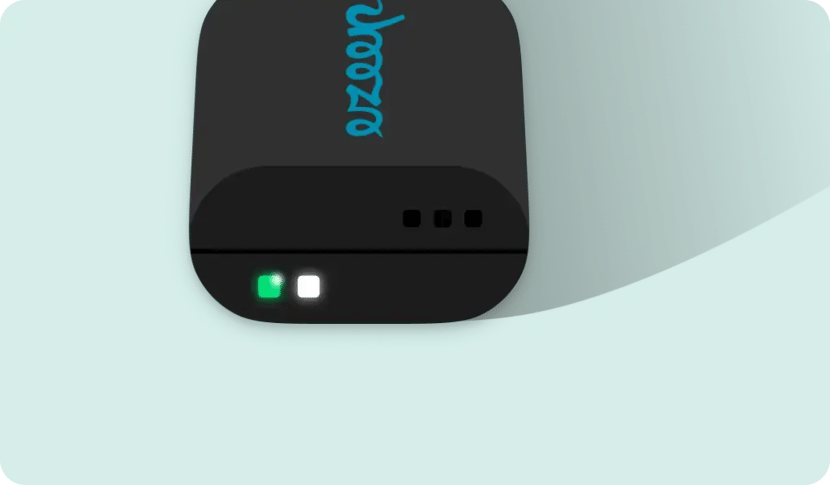
The ezeep Hub connects label printers to the cloud without effort, wherever they may be. This plug-and-play device ensures the correct allocation of printers at remote locations like branches or warehouses. Since the Hub automatically recognizes printers, no on-site administrator is needed. There is no need for a print server or VPN for printing at remote locations, simplifying the setup and ensuring smooth operation.
How to Integrate Warehouse Label Printing with Web Apps
Integrating print functions into web applications for label printing often demands extensive development and knowledge of specific printer drivers. This can lead to delays and increased costs. ezeep simplifies this process, enabling easy integration with low-code options or direct API access.
Adapting the print function to various printer models and manufacturers is frequently complex, as different printers have different protocols and requirements.
With ezeep, integrating the print function into web applications can be achieved using our low-code ezeep.js or by directly addressing the ezeep API. This enables companies to integrate their applications into the label printing process.
How to Automate Label Printing Without Any Code
Automating label printing typically requires coding and specific technical expertise. ezeep offers code-free automation options through integrations with popular platforms, making automated label printing accessible to businesses of all sizes, even those with tight budgets.
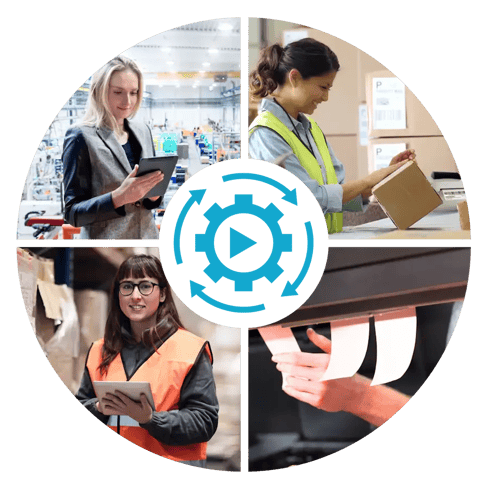
Thanks to ezeep’s integration into various automation platforms, labels can be printed automatically without coding. Alternatively, the ezeep API can be used. Recently, Zapier, Make, Pabbly Connect, or print jobs triggered by the ezeep API have even become part of our Free Plan. Thus, even smaller companies with tighter budgets can use ezeep as a free label-printing software for up to 50 printed pages per month. User-friendly Zapier print workflows can be created directly in the ezeep Admin Portal too.
In e-commerce, automated label printing is crucial to expedite shipping and order processing. These practical examples demonstrate how ezeep integrates into existing workflows and enhances them:
- Learn how a used parts dealer facilitates his work and saves time with automated printing of pre-prepared shipping labels.
- Read about how an industrial company with a remote warehouse uses ezeep to consistently and automatically print labels generated in SAP on Zebra printers.
- By using ezeep, a retailer could optimize its warehouse labeling by efficiently outputting labels over RDS sessions to Zebra printers.
Conclusion
Label printing can be fraught with challenges that impact business operations. ezeep offers an innovative and cost-effective method to automate label printing, minimize errors, and increase overall efficiency. By integrating ezeep, companies can optimize their label printing processes and meet the demands of a modern business world.
Stop thinking about printing. Try ezeep free today.
How to Print from Chromebooks: Cloud Printing Explained
Cloud vs. Print Servers for Print Management