By Charles Ian Pritchard on May 29, 2024
Last updated on March 31, 2026
Enterprises often need to print from an SAP environment for bulk jobs, labels, or documents like production orders. This guide explains how ezeep simplifies front-end and back-end printing in S/4HANA On-Premises and S/4HANA Cloud.
Simplifying Front-End Printing in SAP
SAP provides various print output options, but front-end printing comes with restrictions; it's not for back-end, production, or bulk printing. Existing methods for front-end printing in SAP are often complex and difficult to implement. The main challenge for many companies is ensuring local and network printers are accessible from SAP front-ends, like Fiori, especially in remote offices without a VPN.
ezeep is an ideal service for this. With over two decades of experience in print management, ezeep offers solutions that meet the demands for front-end printing from SAP applications today.
How to Set Up ezeep for SAP Printing
ezeep offers two ways to connect printers to the cloud. You can install the ezeep Connector software on a print server or workstation with the installed printers. Alternatively, the ezeep Hub can connect directly to your network, removing the need for software installations entirely. This hardware device renders print jobs in the cloud, allowing companies to fully migrate to the cloud and decommission on-premises print servers if desired.
Print to Network and Local Printers From Any Device and Location
ezeep ensures that desired printers, whether remote or local, are accessible without VPNs or driver deployment to endpoints. Users can print in SAP for purchase orders, billing documents, work orders, and more. The device used and printer model become almost irrelevant thanks to ezeep's proprietary printer mapping and driver mapping technology – AutoConnect and the ThinPrint Output Gateway, which run on an ezeep print app on the endpoint.
Compared to other print management options, ezeep provides broader support for different printer models for front-end SAP printing, even without a print server. Printing to label printers from EWM, a common SAP scenario, is simplified by ezeep's technology, which reliably maps these printers. ezeep is also a certified partner with key label printer manufacturers, such as Zebra, to ensure long-term compatibility.
Back-End Printing from SAP
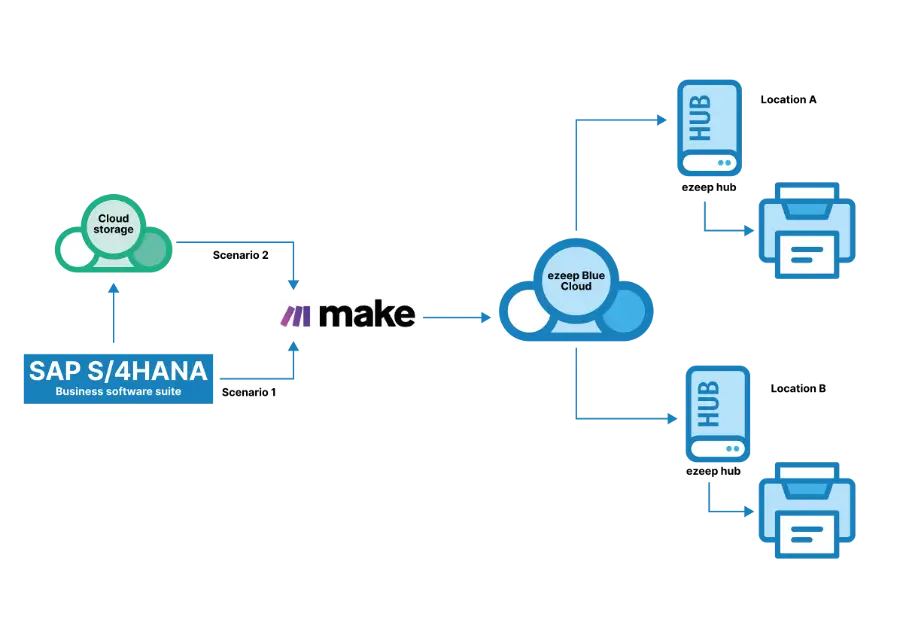
ezeep supports back-end printing for large-scale, automated print jobs triggered by applications without user interaction. Whether you need to print multiple invoices in SAP automatically or manage label printing in SAP EWM, ezeep is an ideal SAP print service.
There are different ways to automate printing from SAP with ezeep. A popular method uses the SAP integration from our partner Make.
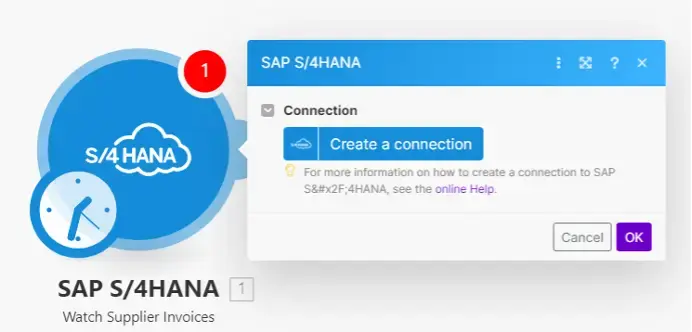
Once connected, Make provides triggers that can retrieve data for printing.
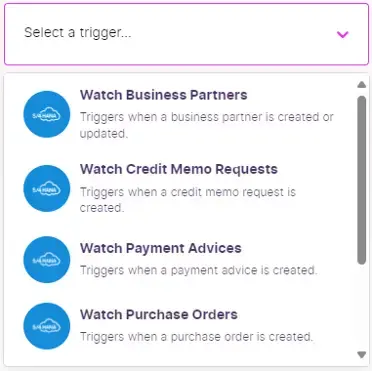

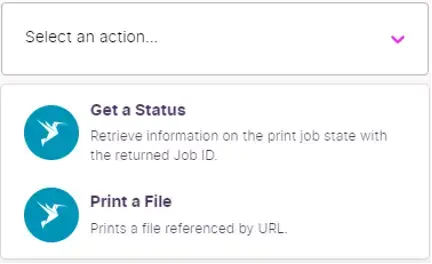
The ezeep module in Make connects to the ezeep organization and allows printer access. As with any ezeep scenario, you can easily add and configure printers in SAP via the ezeep Admin Portal.
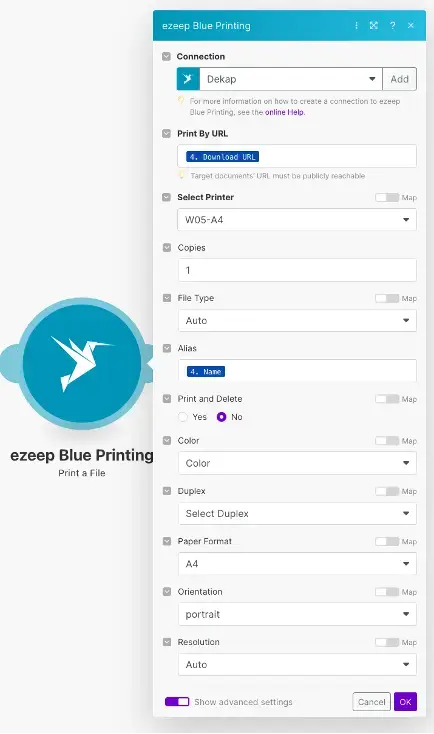
One advantage of ezeep is its cloud rendering service. This removes the need for on-site print servers. The ezeep Hub acts as a connector without requiring a VPN or local printer drivers to reach target printers.
Another scenario for bulk printing from SAP or other ERP/CRM systems involves automating document or label printing from storage. For example, labels generated by SAP can be uploaded to OneDrive. With Make and ezeep, you can set up a workflow to print these labels automatically on configured printers in any location.
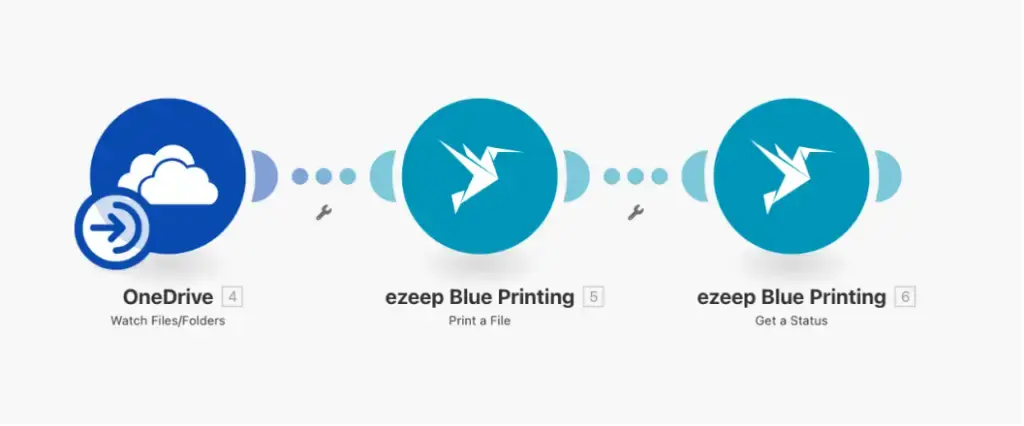
ezeep has helped companies achieve reliable and efficient back-end printing from SAP. You can read more about how such a requirement was met for one of our customers on our customer stories page.
Reducing the Management Burden in Large Enterprises
ezeep doesn't just solve SAP printing issues; it also simplifies print management in enterprises, reducing the burden on IT. This frees up IT admins to focus on higher-value tasks and cuts down on help desk tickets. This efficiency is especially noticeable in larger enterprises with hundreds of users and dozens of printers in remote production sites and warehouses. Admins can manage remote printers more easily with the ezeep Hub. With no on-site expertise or print infrastructure needed at the location, any admin can manage Hubs and printers remotely from any browser, anywhere. These time savings contribute to additional cost reductions, like eliminating site-to-site VPNs used only for printing, or reducing server running, licensing, and energy costs.
Get Started with ezeep for SAP Printing
Create your own ezeep organization for free to get started. Simply visit our getting started page. You can also contact our team to discuss your specific requirements for front-end printing in SAP. We would be happy to demonstrate our service.
24/7 Coworking with Printing Included
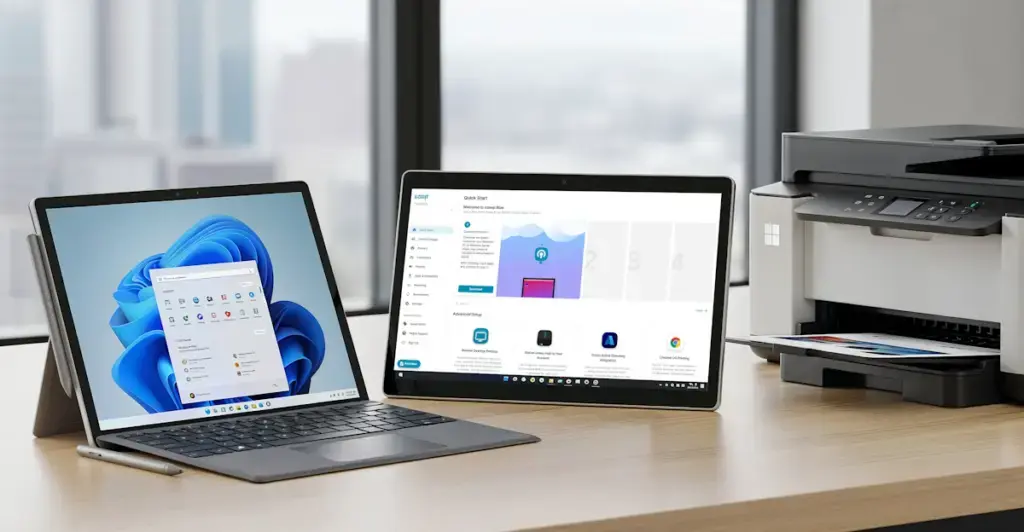
Printing on Surface & Copilot+ PCs: No Drivers Needed