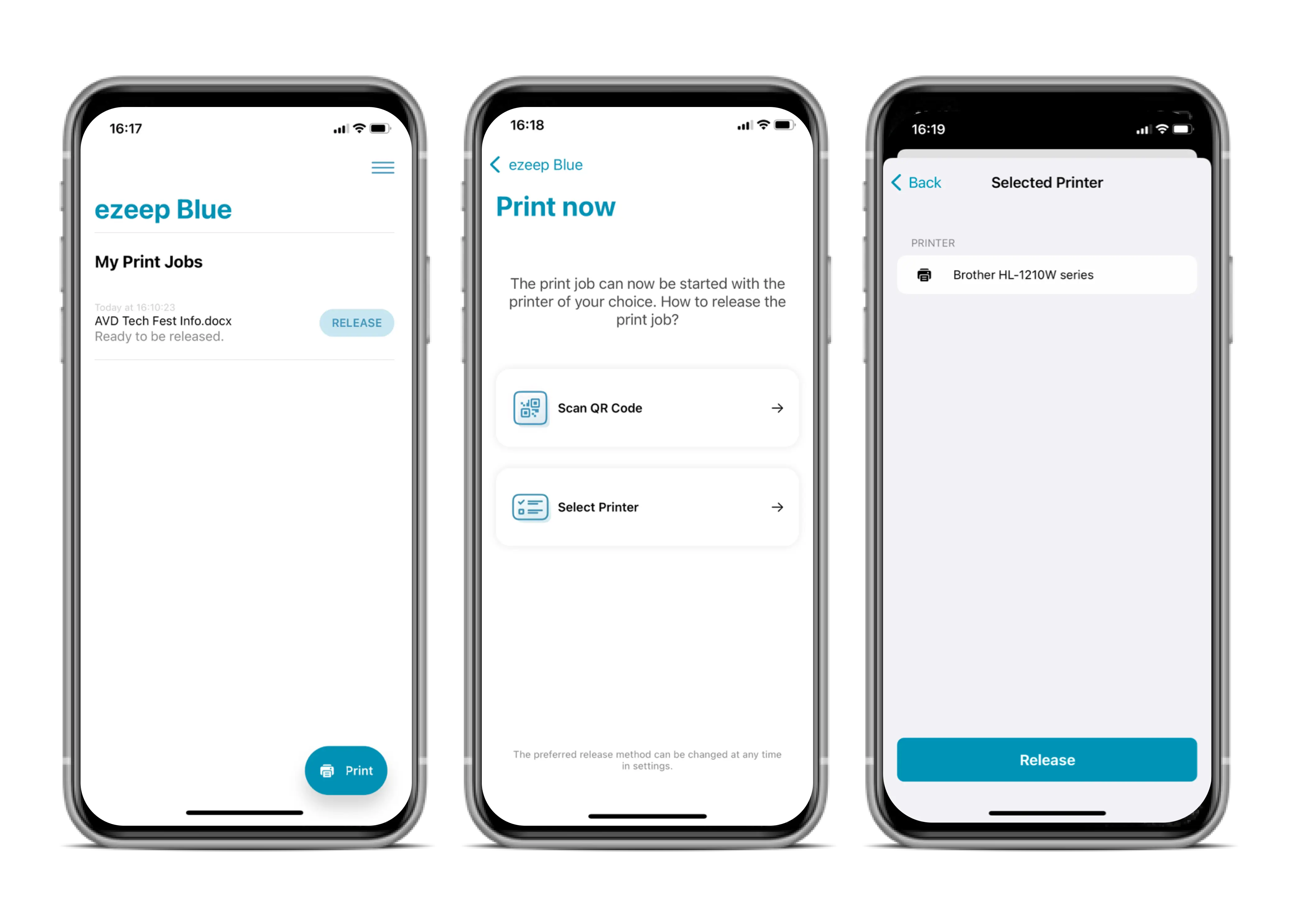
The new Print Later feature lets you send documents to print from your desktop or a remote session and then release them at any printer when you are ready. This feature, available in Pro, Business, and Enterprise plans, allows users to collect print jobs using the ezeep Printer app for iOS & Android without extra authentication.
How Print Later Works for Users
To use the Print Later feature, you need the ezeep printer app on your mobile device (iOS or Android).
Print your document as you normally would from your desktop, an application, or a remote desktop session. When the print dialog appears, choose "AnyPrinter by ezeep." Your print job will then be securely held in a queue.
When you are ready to physically print, open the ezeep Printer App on your mobile device. Your pending print job will appear directly. Simply tap "Release" and select the desired printer to start the printing process. This provides printing flexibility by letting you release documents only when you are at the printer.
Admin Setup for Print Later
Administrators can manage the Print Later feature within the ezeep Admin Portal. You can activate or deactivate Print Later in the "Policies" section.
Once activated, you can assign the "AnyPrinter by ezeep" queue to specific users or groups via the "Users & Groups" settings. This enables Print Later for the assigned users, giving your organization more control over document release.
Print Later: Now Available
Already using ezeep? This new feature is available for all Pro, Business, and Enterprise customers. Free Plan users can upgrade their plan at any time through the Subscription Menu to gain access to Print Later.
New to ezeep? Discover how cloud printing can change your workflow. Visit our website to learn more.