Printing Anywhere: Introducing the Wi-Fi ezeep Hub
By Maximilian Bauer on November 24, 2025
Last updated on April 13, 2026
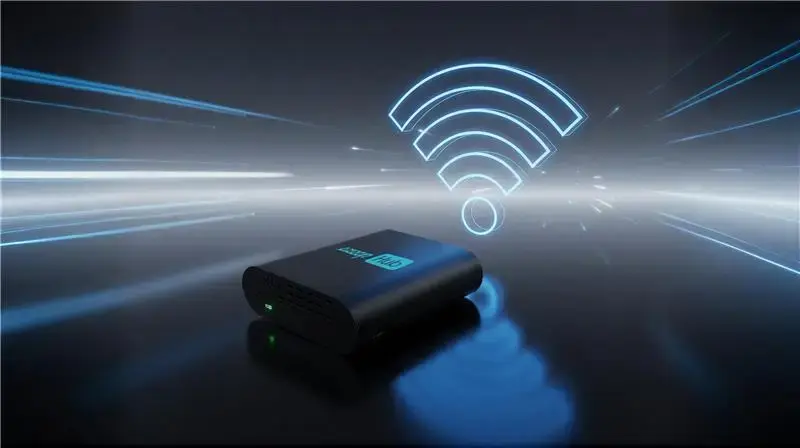
The new Wi-Fi-enabled ezeep Hub makes cloud printing possible anywhere, without cables. Simply plug it in, connect to Wi-Fi, and your printers are cloud-ready in minutes, even in environments where ethernet isn’t available.
The original ezeep Hub connected printers to the ezeep platform through a wired LAN. However, locations like warehouses, retail pop-ups, or temporary offices often lack ethernet access. This previously limited cloud printing options for these setups. The Wi-Fi ezeep Hub removes this restriction entirely.
How does the Wi-Fi ezeep Hub solve real-world challenges?
The Wi-Fi ezeep Hub removes constraints for workplaces needing flexible, distributed, and fast-changing print environments by enabling full ezeep functionality anywhere Wi-Fi is available. This expands deployment possibilities and reduces infrastructure overhead, allowing organizations to roll out printing faster and more cost-effectively.
Modern workplaces often operate in flexible, distributed, and rapidly changing environments across logistics, construction, healthcare, or coworking sectors. IT teams frequently encounter limited or absent wired network access. The Hub addresses this by simplifying printer deployment with only a power cable required, making printing easier and faster than ever.
How does the Wi-Fi ezeep Hub work?
Setting up the Wi-Fi Hub is quick and straightforward, allowing you to get your printers online in just a few steps. The Hub integrates smoothly with the ezeep Cloud for secure, driverless printing once connected.
- Power on the Hub: Wi-Fi mode is enabled automatically.
- Connect to the Hub’s access point: For the first 30 minutes, it broadcasts its own Wi-Fi signal. Simply connect with any Wi-Fi-capable device.
- Configure the connection: Open a browser, access the Hub interface, and select your Wi-Fi network.
- Start printing: Once connected, the Hub works just like before, fully integrated with the ezeep Cloud for secure, driverless printing.
The Hub continues to support both Wi-Fi and LAN connections, ensuring full flexibility for every environment.
Where does the Wi-Fi ezeep Hub offer the most value?
The Wi-Fi-enabled ezeep Hub is an excellent choice for environments where wired connections are unavailable, temporary, or hard to manage, bringing cloud printing capabilities to locations previously limited by infrastructure.
- Warehouses: Connect USB or network printers without installing ethernet.
- Retail pop-ups: Set up label or receipt printers quickly.
- Coworking spaces: Avoid costly rewiring and deploy cloud printing instantly.
- Construction sites & field offices: Enable portable, wireless print setups using mobile hotspots.
- Healthcare clinics: Print securely in temporary or rotating locations.
- Events & conferences: Provide fast, flexible printing wherever it’s needed.
Wherever it is used, the Hub keeps cloud printing reliable, secure, and simple to manage.
Built on ThinPrint technology, trusted by Fortune 500 organizations, ezeep ensures production environments handle millions of printed pages daily.
Why do businesses use the Wi-Fi ezeep Hub?
Businesses use the Wi-Fi-enabled Hub for its ability to deliver the proven ezeep cloud printing experience with added flexibility, simplifying deployments and centralizing management across diverse work settings.
Built-in Wi-Fi makes deployment simple anywhere, without requiring ethernet. It supports both USB and network printers, preserving existing infrastructure without costly upgrades. Setup means no complex configurations or local adjustments. Because it’s integrated with the ezeep Cloud, all management, tracking, and print policies remain centralized and secure.
As one IT manager from a logistics company observed: “With the Wi-Fi Hub, we finally brought cloud printing to our warehouse without touching the cabling.”
Ready to bring cloud printing to every corner of your operations? Contact sales to learn more about the Wi-Fi ezeep Hub.
Frequently Asked Questions
What is the ezeep Hub?
The ezeep Hub connects your printers to the ezeep cloud printing platform. It allows users to print from any device to any printer managed by ezeep, regardless of location.
What is new about the Wi-Fi-enabled ezeep Hub?
The new Wi-Fi-enabled ezeep Hub connects to your network wirelessly. This means you no longer need an Ethernet cable to connect your printers to the ezeep cloud, making it easier to set up in more locations.
Where can the Wi-Fi ezeep Hub be used?
The Wi-Fi ezeep Hub is ideal for environments where wired network access is limited or unavailable. This includes locations like warehouses, retail pop-up shops, temporary offices, or construction sites.
How does the Wi-Fi ezeep Hub simplify printer deployment?
The Wi-Fi ezeep Hub simplifies deployment because it only requires a power cable. This eliminates the need to run network cables, allowing organizations to set up printing faster and with less cost.
- March 2026 (3)
- February 2026 (2)
- January 2026 (2)
- December 2025 (2)
- November 2025 (5)
- October 2025 (6)
- September 2025 (1)
- August 2025 (4)
- July 2025 (1)
- June 2025 (3)
- May 2025 (1)
- April 2025 (5)
- March 2025 (6)
- February 2025 (6)
- January 2025 (3)
- December 2024 (5)
- November 2024 (4)
- October 2024 (7)
- September 2024 (2)
- August 2024 (2)
- July 2024 (5)
- May 2024 (4)
- March 2024 (1)
- February 2024 (3)
- January 2024 (1)
- December 2023 (1)
- November 2023 (3)
- October 2023 (3)
- September 2023 (3)
- August 2023 (1)
- July 2023 (3)
- June 2023 (2)
- May 2023 (1)
- April 2023 (5)
- March 2023 (7)
- February 2023 (4)
- January 2023 (2)
- December 2022 (3)
- November 2022 (2)
- October 2022 (5)
- September 2022 (6)
- August 2022 (2)
- July 2022 (4)
- June 2022 (5)
- May 2022 (2)
- April 2022 (4)
- March 2022 (4)
- February 2022 (2)
- January 2022 (1)
- October 2021 (1)
- July 2021 (5)
- June 2021 (4)
- May 2021 (3)
- April 2021 (1)
- March 2021 (4)
- February 2021 (1)
- December 2020 (1)
- November 2020 (1)
- October 2020 (1)
- September 2020 (1)
- June 2020 (1)
- April 2020 (4)
- March 2020 (3)
- February 2020 (3)
- January 2020 (1)
- August 2019 (2)
- May 2019 (1)
- September 2018 (1)
- January 2018 (1)
- May 2017 (1)
- November 2016 (1)
- October 2016 (1)
- May 2016 (1)
- May 2014 (1)
- January 2014 (1)
- October 2013 (1)
- August 2013 (1)
- April 2013 (1)
You May Also Like
These Related Stories
Printing Anywhere: Introducing the Wi-Fi ezeep Hub
How to Print from iPhone & iPad (with or without AirPrint)