Our API. Your App. Endless Possibilities.
From MCP servers for AI-native platforms to REST APIs and backend automation - build printing into anything you're creating, without drivers, servers, or hardware headaches.

I Want To...
Build with ezeep in Any AI-Native Environment
ezeep's MCP makes printing a native capability in any app you build with AI-powered tools, from a Lovable-built ERP to a Claude-powered ops workflow, with zero code and zero integration effort.
Integrate Printing Into My App or Platform
Submit print jobs, manage printers, users, and groups through a standard REST API. Connect ezeep to any application, SaaS product, or platform - no drivers, print servers, or infrastructure to manage.
Automate Backend Print Workflows
Trigger print jobs from backend services, scheduled tasks, and event pipelines without a logged-in user: warehouse labels from order events, invoices from accounting software, reports on a schedule.
Built for the Way Developers Build Today
Query available printers by name, location, or capability. Submit print jobs by passing a document and a printer target. Monitor and manage in-progress jobs. Create and manage users, groups, and printer assignments. Pull usage history and reporting. Manage your entire print fleet through conversation — ask your AI to show offline printers, invite users, or reassign printer groups without opening a dashboard.
Printers, Print Jobs, Users, Groups, Assignments, Connectors, Usage Reports.
Claude, Cursor, Lovable, Windsurf, GitHub Copilot, and any platform that supports the Model Context Protocol.
Printing shipping labels and packing slips from a Lovable-built fulfilment platform. Triggering invoice runs from a Claude-powered accounting workflow. Building a warehouse ops copilot that routes documents to the right printer at the right time. Giving any AI-built application a print button that actually works at enterprise scale.
{
"mcpServers": {
"ezeep": {
"type": "http",
"url": "https://mcp.ezeep.com/mcp",
"headers": {
"Authorization": "Bearer <your_api_key>"
}
}
}
}
Add Printing to Any Application
# List available printers
curl -X GET 'https://printapi.ezeep.com/sfapi/GetPrinter/' \
-H "Authorization: Bearer <access_token>"
# Print a file by URL
curl -X POST 'https://printapi.ezeep.com/sfapi/Print' \
-H "Content-Type: application/json" \
-H "Authorization: Bearer <access_token>" \
-d '{
"fileurl": "https://example.com/invoice.pdf",
"printerid": "9620e656-b39b-49ba-a653-a3f168575ec2",
"type": "pdf"
}'
# Create a user
curl -X POST 'https://api.ezeep.com/v1/users/' \
-H "Authorization: Bearer <access_token>" \
-H "Content-Type: application/json" \
-d '{
"email": "newuser@company.com",
"first_name": "Jane",
"last_name": "Doe"
}'
const headers = {
Authorization: "Bearer <access_token>",
"Content-Type": "application/json",
};
const printers = await fetch(
"https://printapi.ezeep.com/sfapi/GetPrinter/",
{ headers }
);
const job = await fetch(
"https://printapi.ezeep.com/sfapi/Print",
{
method: "POST",
headers,
body: JSON.stringify({
fileurl: "https://example.com/invoice.pdf",
printerid: "9620e656-b39b-49ba-a653-a3f168575ec2",
type: "pdf",
}),
}
);
const user = await fetch(
"https://api.ezeep.com/v1/users/",
{
method: "POST",
headers,
body: JSON.stringify({
email: "newuser@company.com",
first_name: "Jane",
last_name: "Doe",
}),
}
);
import requests
headers = {
"Authorization": "Bearer <access_token>",
"Content-Type": "application/json",
}
printers = requests.get(
"https://printapi.ezeep.com/sfapi/GetPrinter/",
headers=headers
).json()
job = requests.post(
"https://printapi.ezeep.com/sfapi/Print",
headers=headers,
json={
"fileurl": "https://example.com/invoice.pdf",
"printerid": "9620e656-b39b-49ba-a653-a3f168575ec2",
"type": "pdf",
},
).json()
user = requests.post(
"https://api.ezeep.com/v1/users/",
headers=headers,
json={
"email": "newuser@company.com",
"first_name": "Jane",
"last_name": "Doe",
},
).json()
Submit PDFs, images, and raw data as print jobs from any server-side or client-side context. Target specific printers by ID or let users choose from their assigned list. Set job options like copies, duplex, color mode, and page range per request. Track job status and get confirmation when the document reaches the printer. Create and manage organizations, users, and groups programmatically. Assign and revoke printer access by user or group. Query available printers, connectors, and driver information. Pull usage reports and print history on demand. Listen for events via webhooks.
Print Jobs, Printers, Organizations, Users, Members, Groups, Memberships, Assignments, Connectors, Printer Drivers, Webhooks.
Shipping labels from WMS, invoices from CRM, documents from web apps, receipts from POS, kiosk and self-service output, coworking platforms automating member onboarding and print billing, MSP tools managing client environments, SaaS platforms embedding print management.
Trigger Print Jobs Without a User
Print from backend services, cron jobs, and event-driven pipelines without an interactive user session. Route jobs to specific printers by location, department, or job type. Integrate with Zapier, Make, or any webhook-capable platform. Run fully unattended workflows across distributed sites.
Warehouse label printing triggered by order events, automated invoice runs from accounting software, scheduled report distribution, Zapier and Make integrations, kiosk output.
# Unattended print: submit a file by URL
curl -X POST 'https://printapi.ezeep.com/sfapi/Print' \
-H "Content-Type: application/json" \
-H "Authorization: Bearer <service_token>" \
-d '{
"fileurl": "https://wms.example.com/label.pdf",
"printerid": "<warehouse_printer_id>",
"type": "pdf",
"copies": 2,
"printanddelete": true
}'
curl -X GET \
'https://printapi.ezeep.com/sfapi/Status/?id=<jobid>' \
-H "Authorization: Bearer <service_token>"
const headers = {
"Content-Type": "application/json",
Authorization: "Bearer <service_token>",
};
const job = await fetch(
"https://printapi.ezeep.com/sfapi/Print",
{
method: "POST",
headers,
body: JSON.stringify({
fileurl: "https://wms.example.com/label.pdf",
printerid: "<warehouse_printer_id>",
type: "pdf",
copies: 2,
printanddelete: true,
}),
}
);
const { jobid } = await job.json();
const status = await fetch(
`https://printapi.ezeep.com/sfapi/Status/?id=${jobid}`,
{ headers: { Authorization: "Bearer <service_token>" } }
);
import requests
headers = {
"Authorization": "Bearer <service_token>",
"Content-Type": "application/json",
}
job = requests.post(
"https://printapi.ezeep.com/sfapi/Print",
headers=headers,
json={
"fileurl": "https://wms.example.com/label.pdf",
"printerid": "<warehouse_printer_id>",
"type": "pdf",
"copies": 2,
"printanddelete": True,
},
).json()
status = requests.get(
f"https://printapi.ezeep.com/sfapi/Status/?id={job['jobid']}",
headers={"Authorization": "Bearer <service_token>"},
).json()
Build Secure Release Into Your Application
# Get pending jobs for authenticated user
curl -X GET 'https://printapi.ezeep.com/pullprint/jobs' \
-H "Authorization: Bearer <access_token>"
# Release a specific job to a printer
curl -X POST 'https://printapi.ezeep.com/pullprint/release' \
-H "Authorization: Bearer <access_token>" \
-H "Content-Type: application/json" \
-d '{
"job_id": "<pending_job_id>",
"printer_id": "<release_printer_id>"
}'
// Get pending jobs for authenticated user
const jobs = await fetch(
"https://printapi.ezeep.com/pullprint/jobs",
{ headers: { Authorization: "Bearer <access_token>" } }
);
// Release a specific job to a printer
const release = await fetch(
"https://printapi.ezeep.com/pullprint/release",
{
method: "POST",
headers: {
"Content-Type": "application/json",
Authorization: "Bearer <access_token>",
},
body: JSON.stringify({
job_id: "<pending_job_id>",
printer_id: "<release_printer_id>",
}),
}
);
import requests
headers = {"Authorization": "Bearer <access_token>"}
# Get pending jobs for authenticated user
jobs = requests.get(
"https://printapi.ezeep.com/pullprint/jobs",
headers=headers
).json()
# Release a specific job to a printer
release = requests.post(
"https://printapi.ezeep.com/pullprint/release",
headers={**headers, "Content-Type": "application/json"},
json={
"job_id": "<pending_job_id>",
"printer_id": "<release_printer_id>",
},
).json()
Query available printers by name, location, or capability. Submit print jobs by passing a document and a printer target. Monitor and manage in-progress jobs. Create and manage users, groups, and printer assignments. Pull usage history and reporting. Manage your entire print fleet through conversation — ask your AI to show offline printers, invite users, or reassign printer groups without opening a dashboard.
Printers, Print Jobs, Users, Groups, Assignments, Connectors, Usage Reports.
Claude, Cursor, Lovable, Windsurf, GitHub Copilot, and any platform that supports the Model Context Protocol.
Printing shipping labels and packing slips from a Lovable-built fulfilment platform. Triggering invoice runs from a Claude-powered accounting workflow. Building a warehouse ops copilot that routes documents to the right printer at the right time. Giving any AI-built application a print button that actually works at enterprise scale.
What You Can Do
Query pending print jobs for an authenticated user. Release specific jobs to a target printer on demand. Build custom release interfaces for kiosks, touchscreens, or mobile apps. Support both trusted-user and trusted-device authentication workflows.
Common Use Cases
Custom release apps on printer touchscreens, RFID or badge-tap release at shared devices, mobile release from a custom app, secure printing in healthcare and financial services environments.
Architecture That Stays Out of Your Way
Your App Calls the API
Authenticate via OAuth2 (Authorization Code or Device flow). Send a document with a target printer ID. That's your only touchpoint.

ezeep Renders in the Cloud
The document is converted to print-ready output using cloud-hosted manufacturer drivers. Your app never handles driver logic, spooler configuration, or format conversion.

The Printer Receives the Job
ezeep routes the rendered job to the target printer through an encrypted channel. If the printer is connected via an ezeep Hub, Connector, or native cloud link, the job arrives without any on-premises infrastructure in between.
Standard OAuth2. No Proprietary Auth.
Authorization Code Flow
Best for interactive applications where a user is present. Redirect the user to ezeep's auth server, receive an authorization code, exchange it for access and refresh tokens.
Device Authorization Flow
Best for devices, kiosks, and headless environments where there's no browser. Request a device code, display it to the user, poll for authorization.
Token Revocation
Revoke access or refresh tokens when a session ends or credentials need to be invalidated. This ensures expired integrations lose access immediately.
All API traffic is encrypted via TLS. Access tokens expire after approximately one hour. Refresh tokens have a longer lifetime and can generate new access tokens as needed.
Make Your Devices Cloud-Native
Building a printer, MFP, or embedded device? The ezeep API supports manufacturer integrations including cloud printing, follow-me workflows, Pull Printing release apps on touchscreens, and scan-to-cloud scenarios.
If you're looking to embed ezeep into your hardware or firmware, we have dedicated documentation and an integrations team to support the process.
Built for Production
Encrypted API Traffic
Permission-Based Access
Centralized Audit Logging
Multi-Tenant Isolation
From Zero to First Print Job
Read the Docs
The API reference covers authentication, endpoints, parameters, and response formats. Quickstart guides walk you through printing, user management, and writing your first integration.
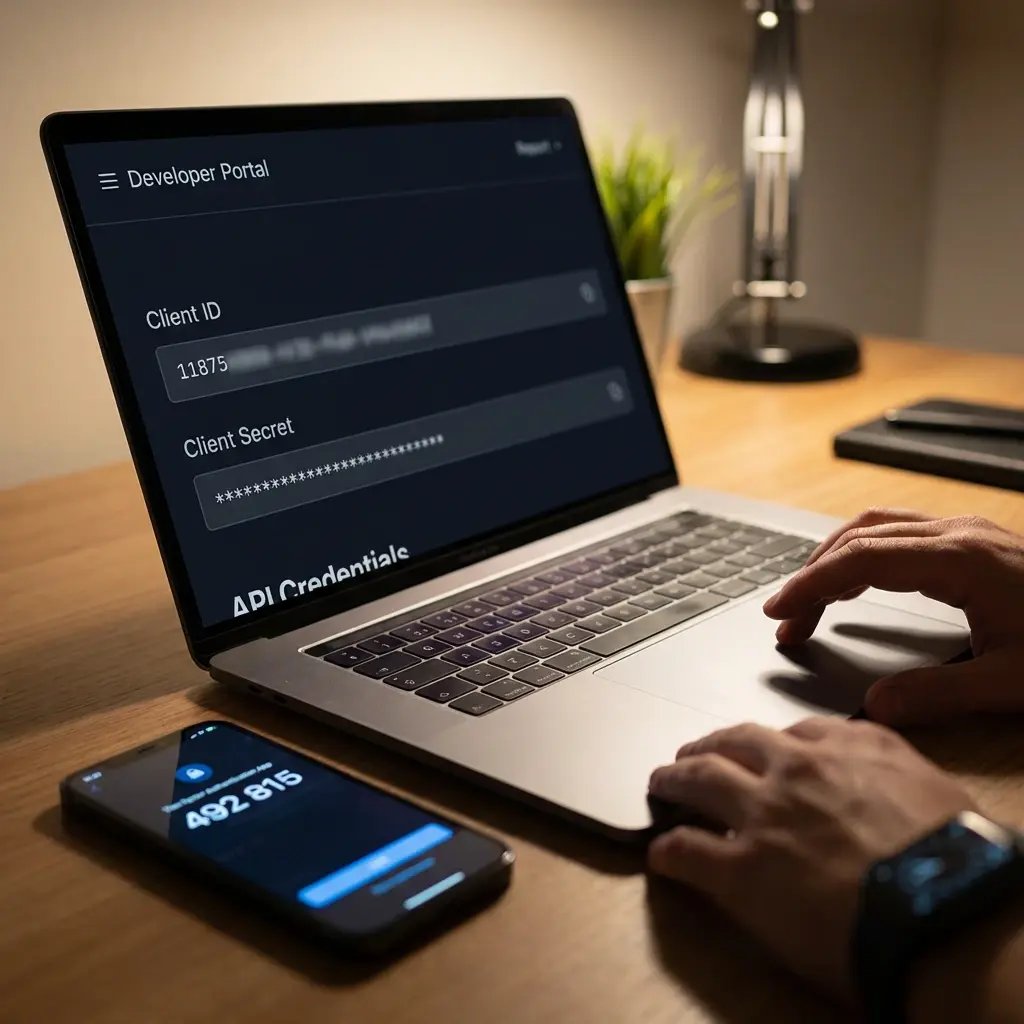
Get Your Credentials
Request your Client ID and Secret through the developer portal. For a quick test, use the demo Client ID from the docs to authenticate and make your first calls immediately.

Send Your First Print Job
Authenticate, pick a printer, submit a document. You'll have a working print integration in minutes. When you're ready to go deeper, the full REST API and webhooks are there.

Start Free. Scale When You Ship.
The ezeep API is available on all plans, including the free tier with 50 pages per month. Build and test your integration at no cost, then scale with plan-based page quotas as your usage grows.
Building a product or platform around ezeep printing? Join ezeep Connect for partner resources, co-marketing, and dedicated integration support.
Frequently Asked Questions
Curious about how it all works? Here's everything you wanted to know about ezeep's cloud printing API!
What is the ezeep Print API?
The ezeep API is a RESTful cloud printing interface. It lets developers submit print jobs, manage printers and users, and automate document output programmatically. Your app calls the API over HTTPS, ezeep handles rendering and delivery to the target printer. No drivers, no print servers, no direct printer connections from your code.
How do I get started?
Sign up for a free ezeep account, request API credentials (Client ID and Secret), and follow the quickstart guide in the documentation. You can also use the demo Client ID to make your first API calls immediately without waiting for credentials.
How does authentication work?
ezeep uses standard OAuth2 with JWT tokens. Interactive applications use the Authorization Code Flow. Devices, kiosks, and headless services use the Device Authorization Flow. Access tokens expire after approximately one hour and can be refreshed automatically.
Can the API print without a logged-in user?
Yes. The ezeep Print App for Services enables unattended printing from backend systems, scheduled tasks, and event-driven workflows. This covers ERP/WMS label printing, kiosk output, scheduled reports, and any scenario where print jobs are triggered by code rather than a person.
What printer hardware is supported?
Any printer connected to ezeep through an ezeep Hub, ezeep Connector, or native cloud connection is accessible via the API. This includes office printers and MFPs from HP, Lexmark, Xerox, Kyocera, Brother, Konica Minolta, and others, plus specialty hardware like Zebra label printers and Epson receipt printers.
Build Printing Into Your Product Without the Pain
You write the code. ezeep handles everything between your API call and ink on paper.