The ezeep Print App: Printing That Never Stops
By Maximilian Bauer on October 23, 2025
Last updated on April 13, 2026
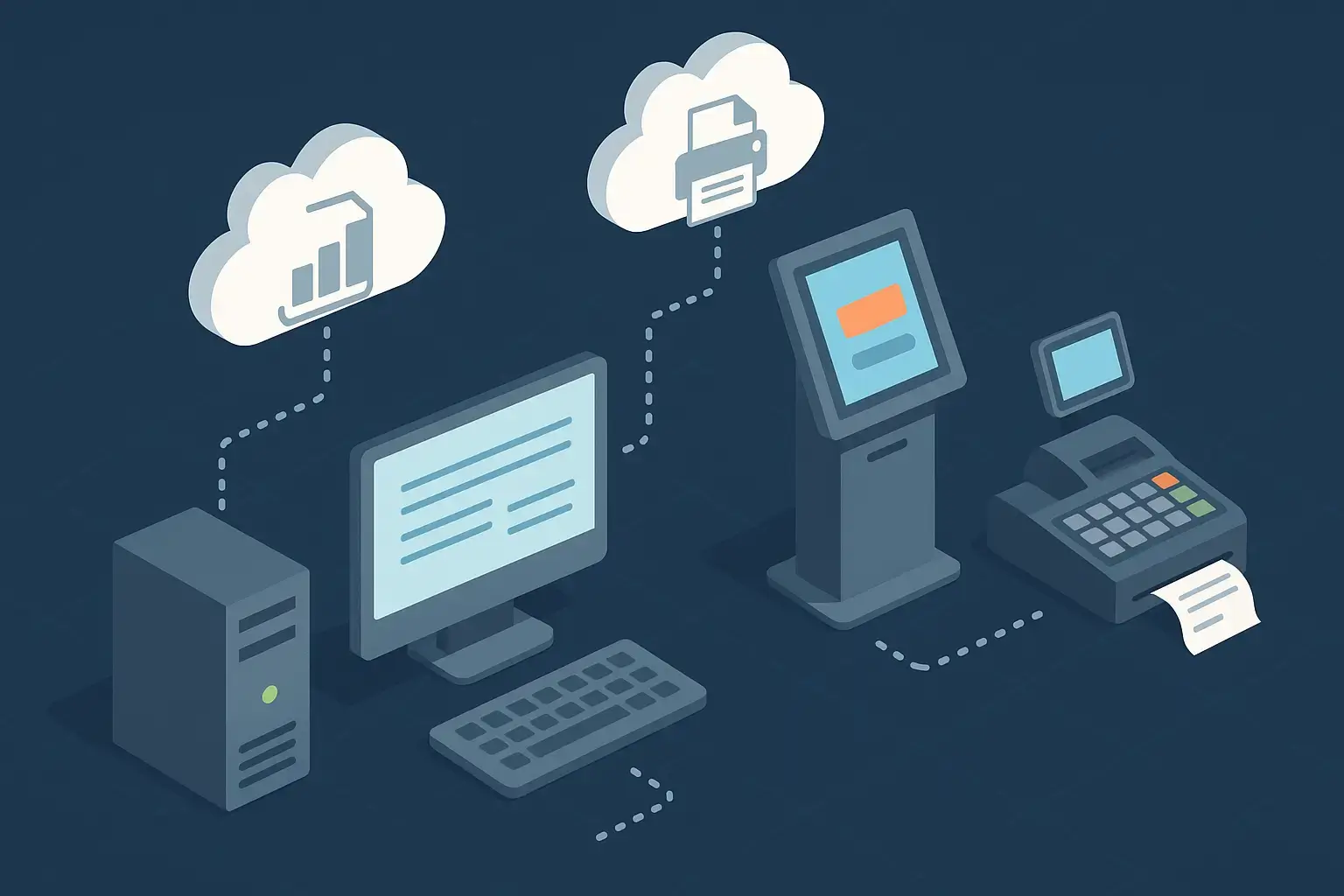
Many systems operate around the clock without direct human interaction. Think of ERP software generating reports at night, kiosks printing tickets automatically, or POS systems handling receipts continuously. Often, printing in these setups only works when a user is logged in. This changes with the new ezeep Print App Service Edition.
This powerful addition to the ezeep ecosystem enables automated printing on Windows systems. It is secure and completely independent of active user sessions, making background printing simple.
Why You Need the ezeep Print App Service Edition
Organizations rely on the ezeep Print App for driverless cloud printing. For environments like servers, kiosks, or unattended workstations, however, user logins are not practical. These systems need to print automatically, day and night, without anyone present.
The Service Edition was developed for this printing need. It enables printing in the background, even when no user is logged in, ensuring critical print jobs continue without interruption. Printing remains reliable across all environments, maintaining operational continuity.
How Does the ezeep App Work for Automated Printing?
Setting up the ezeep Print App Service Edition is simple:
- Install the app on your Windows system.
- Log in once with a dedicated technical user account.
- Assign printers to this user in the ezeep admin portal.
From that point, printing happens automatically in the background. The app communicates securely with the ezeep Cloud, removing the need for local driver installations or complex configurations. Printers stay available, print jobs flow reliably, and administrators can manage everything centrally through ezeep’s intuitive interface.
Where Does Automated Printing Provide the Most Value?
The Service Edition suits any scenario demanding automated, driverless, and unattended printing, including:
- ERP and CRM systems: Print invoices, delivery notes, or reports automatically.
- Retail and hospitality: Enable POS systems and kitchen printers to produce receipts without manual intervention.
- Kiosks and terminals: Print tickets, forms, or confirmations without user sessions.
- Logistics and warehouses: Send shipping labels and barcodes directly to printers.
- Medical and industrial environments: Automate the printing of lab results or production orders.
It is ideal for any environment that needs to print continuously without human interaction.
Why Do Businesses Use the ezeep App Service Edition?
The ezeep Print App Service Edition simplifies tasks for IT teams and operations managers. Its key advantages include:
- Always ready: Printers stay available and reliable, even when no one is logged in.
- No local drivers: All printer drivers are managed centrally in the ezeep Cloud, so there’s nothing to install or maintain on individual devices.
- Secure and compliant: Built with enterprise-grade encryption, access control, and data protection in mind, keeping print data protected at every step.
- Consistent performance: Printers keep their configurations and names, ensuring predictable, stable results.
- Flexible deployment: Works in any setup. on-premises, hybrid, or fully cloud-based.
This combination of automation, reliability, and simplicity ensures mission-critical print processes run smoothly across all industries. Built on ThinPrint technology, trusted by Fortune 500 organizations, ezeep handles millions of pages daily.
Conclusion
With the ezeep Print App Service Edition, organizations achieve true hands-free printing from any Windows system. Whether in retail, logistics, healthcare, or manufacturing, printing continues even when no one is logged in.
Available now in the Apps & Downloads section of your ezeep admin portal, this innovative service ensures your background printing processes stay efficient like the rest of your cloud environment.
Frequently Asked Questions
What is the ezeep Print App, Service Edition?
The ezeep Print App, Service Edition, is a tool that allows for automated and background printing on Windows systems. It enables printing to happen even when no user is logged in, which is useful for systems like servers or kiosks that need to print continuously.
Why would I need the ezeep Print App, Service Edition?
You would need it for systems that require continuous, unattended printing. Examples include ERP software generating reports overnight, kiosks printing tickets automatically, or point-of-sale systems handling receipts without a user actively logged in.
How does the Service Edition differ from the regular ezeep Print App?
The key difference is that the Service Edition allows printing to occur independently of an active user session. The regular ezeep Print App typically requires a user to be logged in for printing.
What kind of systems benefit from the ezeep Print App, Service Edition?
Systems such as servers, kiosks, and unattended workstations benefit most. These environments need to print around the clock without direct user interaction.
Can the ezeep Print App, Service Edition, ensure continuous printing operations?
Yes, it is designed to ensure that critical print jobs continue without interruption, even when no user is logged in. This helps maintain operational continuity in various environments.
- March 2026 (3)
- February 2026 (2)
- January 2026 (2)
- December 2025 (2)
- November 2025 (5)
- October 2025 (6)
- September 2025 (1)
- August 2025 (4)
- July 2025 (1)
- June 2025 (3)
- May 2025 (1)
- April 2025 (5)
- March 2025 (6)
- February 2025 (6)
- January 2025 (3)
- December 2024 (5)
- November 2024 (4)
- October 2024 (7)
- September 2024 (2)
- August 2024 (2)
- July 2024 (5)
- May 2024 (4)
- March 2024 (1)
- February 2024 (3)
- January 2024 (1)
- December 2023 (1)
- November 2023 (3)
- October 2023 (3)
- September 2023 (3)
- August 2023 (1)
- July 2023 (3)
- June 2023 (2)
- May 2023 (1)
- April 2023 (5)
- March 2023 (7)
- February 2023 (4)
- January 2023 (2)
- December 2022 (3)
- November 2022 (2)
- October 2022 (5)
- September 2022 (6)
- August 2022 (2)
- July 2022 (4)
- June 2022 (5)
- May 2022 (2)
- April 2022 (4)
- March 2022 (4)
- February 2022 (2)
- January 2022 (1)
- October 2021 (1)
- July 2021 (5)
- June 2021 (4)
- May 2021 (3)
- April 2021 (1)
- March 2021 (4)
- February 2021 (1)
- December 2020 (1)
- November 2020 (1)
- October 2020 (1)
- September 2020 (1)
- June 2020 (1)
- April 2020 (4)
- March 2020 (3)
- February 2020 (3)
- January 2020 (1)
- August 2019 (2)
- May 2019 (1)
- September 2018 (1)
- January 2018 (1)
- May 2017 (1)
- November 2016 (1)
- October 2016 (1)
- May 2016 (1)
- May 2014 (1)
- January 2014 (1)
- October 2013 (1)
- August 2013 (1)
- April 2013 (1)
You May Also Like
These Related Stories
The ezeep Print App: Printing That Never Stops
Print From Remote Desktop to Local Printer