Cloud Printing for Coworks Coworking Spaces

Connect ezeep with Coworks and printing becomes part of the membership. Members get the right printers the moment they join, you stop fielding "how do I print?" questions, and nobody has to install a driver ever again.

Start Free TrialContact for Special Pricing
coworks-hero
What the Integration Actually Does

What Does the ezeep Integration with Coworks Do?

Automatically create printing accounts for new members and assign them to the correct printer group based on their membership plan. When someone joins your space through Coworks, they get printer access without your team doing anything extra. 

Members Get Printers When They Join

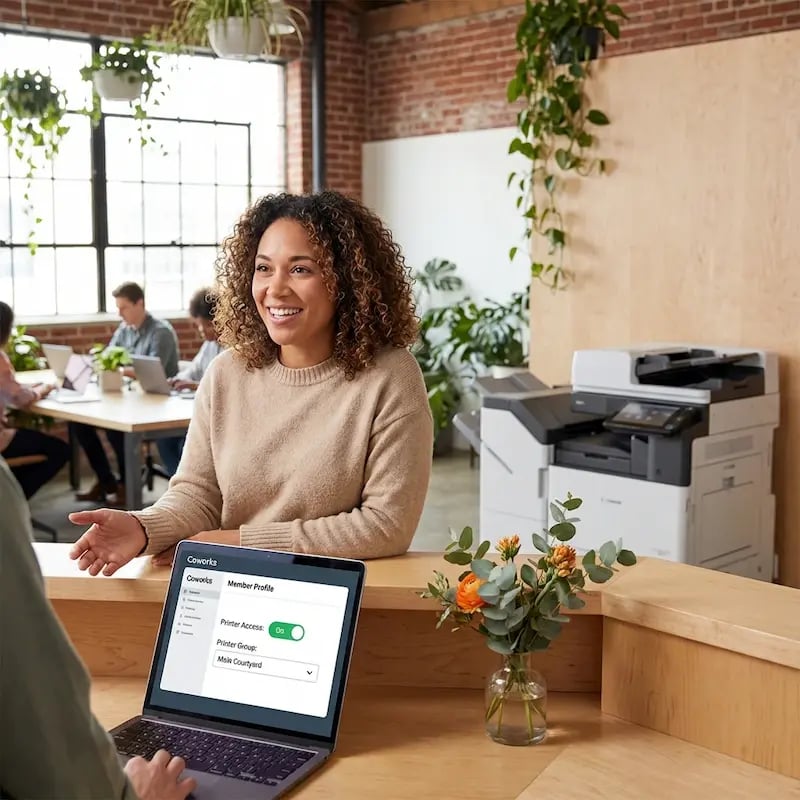
Add a member in Coworks, toggle on printer access, pick a group. ezeep creates their account and sends a registration email. By the time they sit down, they can print.

Different Plans, Different Printers

Private office members get access to one set of printers. Hot desk users get another. You define all your groups in ezeep, and Coworks handles the rest based on everyone's individual plan.

Self-Service Sign-Up That Includes Printing

Attach printer groups to your public Coworks sign-up links. New members choose their plan, opt into printing, and land in the right group automatically. Your team doesn't touch a thing.

For Operators

You Didn't Open a Coworking Space to Troubleshoot Printers

Printing That Pays From Day One

When you add a user in Coworks and toggle on printers, ezeep creates an account and sends a welcome email.

If members sign up through a public plan link that includes printing, they're earning revenue for you before your team even sees the signup. Zero admin, zero delay between joining and billable usage.

 

add-users-coworking-talking

Price Printing Into Every Tier

Coworks plans map to an ezeep printer group with its own devices, limits, and permissions. Define the groups and every plan carries its own printing, whether that's unlimited access for premium members or pay-as-you-go for day passes.

Printing becomes a lever you can pull to differentiate tiers and push upgrades.

coworking-talking-nicely

Adjust Access, Protect Revenue

Need to bump someone up to a plan with color printing, move them between groups, or cut access when they cancel? Do it from their Coworks profile and ezeep updates within minutes.

No access leaking to former members, no manual billing corrections, and no revenue quietly walking out the door.

coworking-manager-laptop-talking

Know Where Your Print Revenue Lives

ezeep's reporting dashboard breaks down activity by member, printer, and page type so you can see which plans drive volume and which ones subsidize heavy users.

Export to CSV for accounting, or use the data to tune your pricing tiers so every membership pulls its own weight on paper costs.


coworking-reporting-dashboard

Less Infrastructure. More Calm.

Move campus printing to the cloud and reduce the day-to-day maintenance burden. Have fewer patches, fewer queue mysteries, and fewer "it broke overnight" surprises.

Server-Free
Centralized
Less Upkeep

One Experience Across Campus

Support the real education device mix - Chromebooks, MacBooks, Windows laptops, tablets, and phones - across libraries, labs, dorms, and shared printers without special steps per department or "this printer only works on that OS."

Campus-Wide
Cross-Platform
User-Friendly

Permissions That Actually Make Sense

Tie printer visibility and access to identity and groups, so students, staff, faculty, and researchers see the right printers by role, building, and department - all without constant manual adjustments.

Role-Based
Location-Aware
Consistent

Temporary Access, Without Temporary Chaos

Support guest lecturers, visiting scholars, events, and short-term programs with controlled access that doesn't create recurring IT work or one-off setups.

Temporary Access
Controlled
Low Effort

Confidential Pages Stay With The Right Person

Reduce tray exposure in busy shared spaces. Pull Printing helps ensure jobs only release when the user authenticates at the printer with their school ID, helping protect exams, registrar documents, and sensitive student records.

Private Release
Less Mix-Ups
Auditable

Visibility Finance Can Actually Use

Understand usage across departments and locations, support quotas and accountability, and make it easier for busier and finance teams to track print spend without turning IT into the print police. 

Measurable
Accountable
Budget-Friendly

Cost Recovery Without The Busywork

For campuses that charge students to print, ezeepCampus adds Self-Join onboarding and credit-based printing, so students and staff can self-serve while your institution keeps pricing and access under control.

Self-Join
Credit-Based
Accountable
coworking-talking

Let's Find the Right Setup for Your Space 

ezeep is free for up to 10 users, and we offer special pricing for coworking spaces. Whether you run a single location or a growing network, we'll help you set things up in a way that fits your workspace and your business model.

Contact Sales

For Members

Printing That Works Before They Even Ask About It

No setup conversations, no driver headaches, no "which printer do I use?" questions at the front desk.
How It Works

How to Set Up Coworks Printing with ezeep

Getting started takes about 15 minutes. You'll need an ezeep account with your workspace printers already connected (the ezeep Hub makes that part painless).
coworking-dashboard-add-users
1

Create Printer Groups in ezeep

Head to ezeep's Users & Groups tab and create groups that match your membership tiers. Assign the right printers to each group. For example, one group for hot desks with access to shared printers, another for private offices with their own dedicated devices.

coworking-add-users-dashboard
2

Connect ezeep in Your Coworks Dashboard

Go to the Integrations tab in Coworks, click "Connect with ezeep," and log in with your ezeep admin credentials. That's the entire technical setup.
coworking-front-desk-add-users
3

Add Printer Access to Members or Plans

When adding a new member, toggle on "Add to Printer Access" and select their group. Or attach printer groups directly to your public sign-up plans, so members who sign up online get printing access automatically.


Webinar

Watch Our Joint Webinar with Coworks

Want to see how coworking spaces are automating printing and daily operations together? Check out our joint webinar with Coworks, where we walk through real workflows and show how operators are saving time while improving the member experience.

Watch Coworks Webinar
coworking-members-couch-webinar
coworking-hero-image

How Your Printers Connect to the Cloud 

The ezeep Hub is a small, maintenance-free device that bridges your existing printers to ezeep's cloud platform. Plug it in, connect your printers, and they're available to every member and guest in your space. No print servers, no driver packages, no ongoing IT work.

Once it's running, your printers just stay available. You don't have to think about it again.

Learn More About ezeep Hub
Support Documents

Documentation & Support

This integration is built and maintained by Coworks.

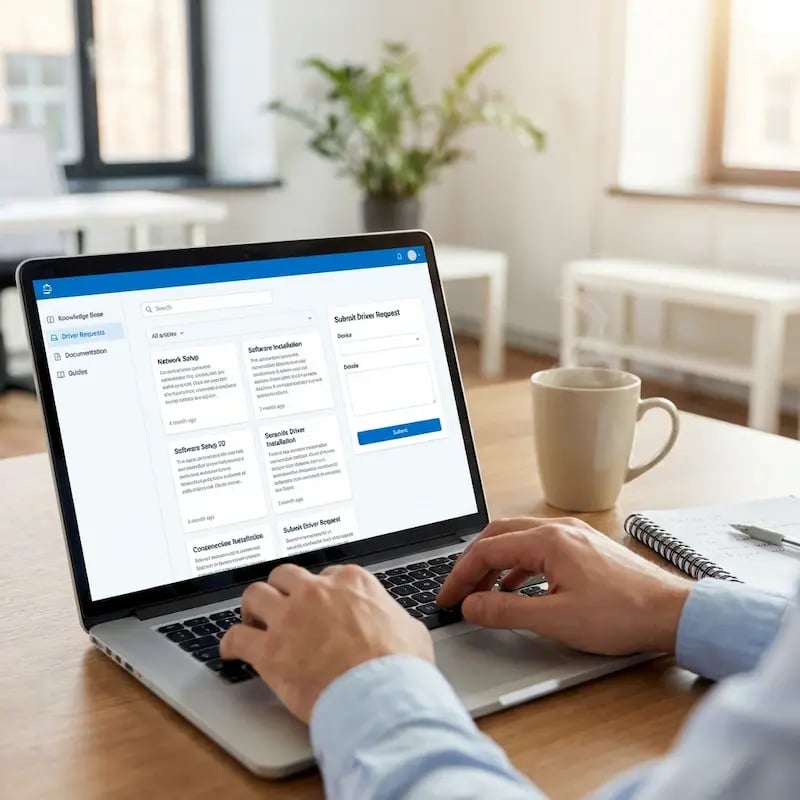
For step-by-step configuration details, visit the Coworks Help Center or the ezeep Knowledge Base.

Our team is also happy to help if you have questions along the way.

documentation
Integrations

Other Coworking Printing Integrations

ezeep also integrates with other leading coworking management platforms, including Archie, Spacebring, Nexudus, OfficeRnD, Cobot, and Deskworks. Each integration works a little differently depending on the platform, but the result is the same: printing that runs itself.

Frequently Asked Questions

Curious about how it all works? Here's everything you wanted to know about ezeep's cloud printing solution!
How does the ezeep integration with Coworks work?

The integration automatically creates ezeep printing accounts for members when they're added in Coworks. You assign each member to a printer group, and ezeep sends them a registration email. Once they set a password, their printers are ready. If a member signs up through a public Coworks plan link with printing enabled, the whole process happens without any admin action.

Can members sign up for printing on their own?

Yes. Coworks lets you attach ezeep printer groups to public sign-up links. When a member chooses a plan with printing enabled, they're automatically added to the correct printer group in ezeep. They receive a registration email, set their password, and start printing without your team being involved.

Can I give different membership plans access to different printers?

Yes. You create printer groups in ezeep that define which printers are included. Then you assign those groups to specific membership plans or individual members in Coworks. Private office members might get access to a dedicated printer, while coworking members share a common device. You control who gets what.

Do members need to install printer drivers?

No. ezeep uses driverless cloud printing, which means the print job is processed in the cloud and delivered to the printer in a format it already understands. Members print from MacBooks, Windows laptops, iPads, Chromebooks, or smartphones using the ezeep app or web portal. Nothing to install, nothing to configure.

What makes ezeep different from other coworking printing options?

ezeep is built for shared and coworking environments from the ground up, with native integrations into platforms like Deskworks, Archie, Spacebring, Nexudus, Cobot, and OfficeRnD. It provides true driverless printing from any device, automated member onboarding through your coworking platform, plan-based access control, built-in usage tracking, and the ezeep Hub for connecting printers to the cloud without print servers. It's free for up to 10 users, with special pricing for coworking spaces.

Back to top

Ready to Turn Printing Into a Revenue Stream?

ezeep is free for up to 10 users. Connect it to Coworks and printing charges land on member invoices automatically.

ezeep-chart (1)